
Cart

Your cart is currently empty.

Sub Total: 0.00

Category: Excel

Advanced Excel Salary in India

Advanced Excel Salary in India (2026): Complete Guide

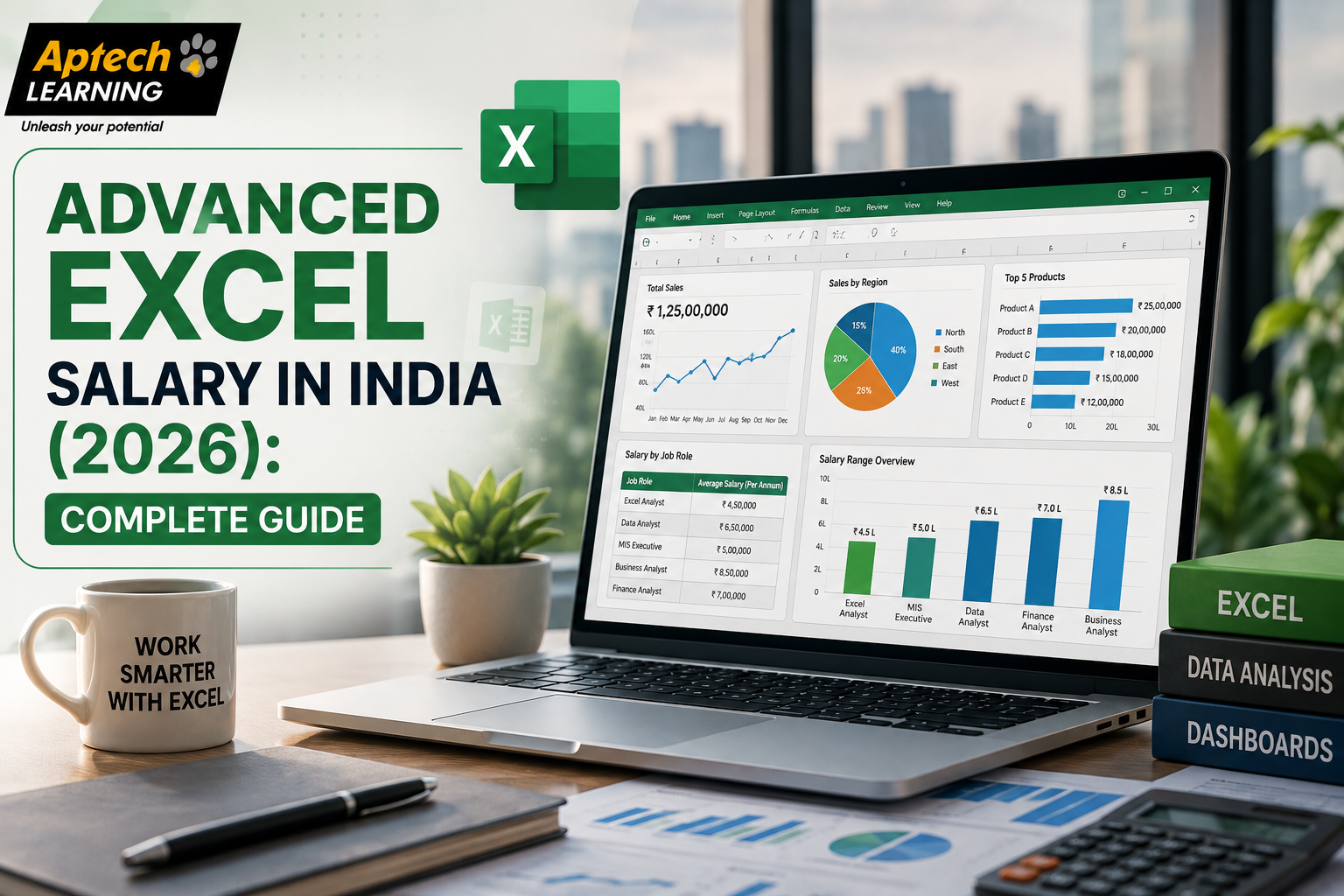
Advanced Excel Salary Overview in India Advanced Excel is not usually a standalone job title, but it is one of the most widely valued skills across finance, operations, HR, sales, and data-focused roles in India. Rather than one fixed salary figure, it is more useful to think of advanced Excel as a skill that consistently strengthens pay potential across many different job roles. A fresher just starting out with advanced Excel skills will naturally earn less than someone with several years of experience building complex financial models or business dashboards. Similarly, a generalist reporting role usually pays differently compared to a specialised role like a financial analyst who relies heavily on advanced Excel. Instead of chasing one exact number, it helps to understand the factors that influence pay, since these are things you can actively work on. Factors That Affect Advanced Excel Salary Several factors directly influence how much professionals with advanced Excel skills earn in India: Experience level: More years of hands-on experience with real business data generally means higher pay, especially experience building actual reports and models used for decisions. Job role and department: Roles in finance or business analysis that rely heavily on Excel often pay more than general administrative or coordination roles. City and company: Metro cities like Bangalore, Mumbai, and Delhi NCR, along with larger companies and MNCs, generally offer higher packages than smaller cities or companies. Additional skills: Combining advanced Excel with tools like Power BI, basic SQL, or data analysis techniques often supports stronger pay compared to Excel skills alone. Industry: Sectors like banking, finance, and consulting often rely heavily on Excel-based reporting and modelling, which can reflect in the packages they offer. Skill depth: Strong command of pivot tables, complex formulas, and dashboard building tends to be valued more than basic spreadsheet familiarity alone. Salary by Experience Level Experience Level | Typical Role | General Salary TrendEntry-Level (0–2 years) | MIS Executive, Junior Data Analyst | Lower end of the pay scale, growing with hands-on reporting exposureMid-Level (2–5 years) | Business Analyst, Financial Analyst | Noticeably higher than entry-level, based on analytical and modelling skillsSenior-Level (5–10 years) | Senior Financial Analyst, Senior Business Analyst | Significantly higher, reflecting deeper expertise and responsibilityLeadership (10+ years) | Finance Manager, Analytics Manager | Among the higher pay levels, tied to strategic and managerial responsibility Note: These are general trends, not fixed figures. Actual pay depends on the specific company, city, and individual skill set. Salary by Job Role Different roles that rely on advanced Excel come with different responsibilities, and pay usually reflects that. MIS Executive: Builds and maintains regular reports and dashboards for management, often an entry point into Excel-heavy roles. Data Analyst: Uses Excel alongside other tools to clean, analyse, and report on business data. Financial Analyst: Uses advanced Excel for budgeting, forecasting, and financial modelling, often requiring strong formula and analytical skills. Business Analyst: Uses Excel to analyse business performance and support decision-making across departments. Operations Executive: Uses Excel to track processes, inventory, and logistics data, often requiring strong reporting skills. HR Analyst: Uses Excel to manage and analyse workforce-related data, such as attendance and payroll summaries. Salary by City City generally plays a meaningful role in salaries for advanced Excel-related roles across India, mainly because of cost of living and concentration of finance, IT, and corporate companies. Metro cities like Bangalore, Mumbai, Delhi NCR, and Pune tend to offer higher packages, largely due to a higher concentration of corporate offices, finance companies, and MNCs actively hiring for reporting and analysis roles. Tier-2 cities like Lucknow, Jaipur, and Indore are steadily growing in terms of corporate and finance-related job opportunities, though packages may currently trend lower compared to metro cities. Remote and hybrid roles have also become more common in reporting and analysis-based positions, which is gradually reducing the gap between city-based and location-independent pay in some companies. How Additional Skills Impact Salary Advanced Excel alone can support certain roles, but combining it with additional skills often strengthens salary potential further. Professionals who pair strong Excel skills with tools like Power BI, basic SQL, or foundational data analysis techniques are often better positioned for higher-paying reporting and analyst roles. Employers generally value candidates who can not only build spreadsheets but also interpret data and present clear, actionable insights. This is why many advanced Excel courses now include exposure to complementary tools like Power BI, helping learners build a more well-rounded, higher-value skill set. Highest Paying Roles That Use Advanced Excel While exact figures vary by company and location, certain roles that rely heavily on advanced Excel are generally recognised as being among the higher-paying paths as professionals gain experience: Senior Financial Analyst — builds complex financial models and forecasts using advanced Excel functions. Senior Business Analyst — uses Excel alongside broader analytical skills to guide business strategy. Analytics Manager — oversees reporting and analysis functions, often requiring both Excel expertise and team leadership skills. Finance Manager — combines advanced Excel skills with broader financial planning and strategic responsibilities. Operations Manager — uses Excel-based reporting to oversee and optimise business processes at a senior level. How to Increase Your Advanced Excel Salary Build strong command of pivot tables, complex formulas, and dashboard creation, not just basic spreadsheet skills. Learn complementary tools like Power BI or basic SQL to strengthen your overall data and reporting skill set. Practise with realistic business datasets rather than only simple, generic examples. Focus on a specific industry, such as finance or operations, where advanced Excel skills are especially valued. Develop strong communication skills to clearly explain your reports and findings to decision-makers. Consider relocating to or working remotely for companies based in metro cities if location flexibility is possible for you. Skills That Help You Earn More Strong command of formulas like VLOOKUP, INDEX-MATCH, and SUMIFS Confidence building and using pivot tables for large datasets Experience creating clear, visually effective dashboards and reports Basic understanding of data analysis concepts and business reporting Familiarity with complementary tools like

Explore More


Advanced Excel Career Opportunities: Complete Guide

Advanced Excel Career Opportunities: Complete Guide

Advanced Excel refers to a deeper set of spreadsheet skills that go well beyond basic data entry and simple formulas. It includes features like pivot tables, VLOOKUP and INDEX-MATCH functions, conditional formatting, data validation, macros, and dashboard creation using charts and slicers. Think of basic Excel as knowing how to write a to-do list, while advanced Excel is like knowing how to build an entire planning system that automatically organises, filters, and summarises your tasks for you. Basic Excel helps you record data. Advanced Excel helps you actually make sense of that data and present it in a way that supports real decisions. Because so many businesses still run core reporting and analysis through Excel, even alongside more specialised tools, advanced Excel remains one of the most practical, transferable skills across office-based careers. Why Advanced Excel Skills Matter for Your Career Advanced Excel continues to matter for a few clear reasons: Almost every industry, from finance to marketing to operations, relies on Excel for reporting, analysis, and day-to-day decision-making. It acts as a strong entry point into more data-focused careers, since many advanced Excel skills, like logical thinking and structured analysis, carry over directly into tools like SQL or Power BI. Employers often look for advanced Excel skills as a baseline requirement, even for roles that are not purely data-focused, such as HR, sales, or admin positions. It allows professionals to work more independently, since employees who can build their own reports and dashboards rely less on separate data teams for routine tasks. It is a relatively fast skill to build compared to programming-heavy tools, making it accessible for career changers and non-technical professionals. Types of Roles That Use Advanced Excel Advanced Excel is used across a wide range of roles, not just those with “analyst” in the title. Data-Focused RolesRoles like data analyst or reporting analyst use advanced Excel heavily for cleaning, organising, and analysing large datasets. Finance and Accounting RolesRoles like financial analyst or accountant use advanced Excel for budgeting, forecasting, and financial reporting. Sales and Marketing RolesRoles in sales operations or marketing analytics use advanced Excel to track performance, campaign results, and customer data. Operations and Supply Chain RolesRoles like operations executive or supply chain analyst use advanced Excel to manage inventory data, logistics tracking, and process reporting. HR RolesHR professionals use advanced Excel to manage employee data, track attendance, and build reports for workforce planning. Role Type | How Advanced Excel is Used | Example TaskData Analyst | Cleaning and analysing datasets | Building pivot table summariesFinancial Analyst | Budgeting and forecasting | Creating financial modelsMarketing Analyst | Campaign tracking | Building performance dashboardsOperations Executive | Inventory and process tracking | Automating stock reports How Advanced Excel Skills Are Used at Work (Step-by-Step) Advanced Excel vs Basic Excel vs Data Analytics Tools These three are related but represent different levels of data handling capability. Basic Excel covers simple tasks like data entry, basic formulas, and simple formatting, suitable for straightforward, small-scale record keeping. Advanced Excel goes much further, using pivot tables, complex formulas, macros, and dashboard building to handle larger datasets and more detailed analysis. Data analytics tools, such as Power BI, SQL, or Python, are generally used for even larger datasets, more complex analysis, and automation beyond what Excel can practically handle alone. In simple words: basic Excel helps you record data, advanced Excel helps you analyse and present it effectively, and dedicated analytics tools take over when data size and complexity grow beyond what Excel can efficiently manage. Practical Examples Retail Business: A store manager uses advanced Excel to build a pivot table showing which products sell best in each region, helping guide restocking decisions. Finance Team: A financial analyst builds a forecasting model in Excel using historical data and formulas to predict next quarter’s expenses. Marketing Team: A marketing executive builds a dashboard in Excel tracking campaign performance across different platforms, using charts to compare results quickly. HR Department: An HR executive uses advanced Excel to track employee attendance patterns and automatically flag unusual absenteeism trends. Operations Team: A logistics coordinator uses advanced Excel formulas to track delivery timelines and automatically highlight delayed shipments. Common Mistakes Beginners Make Relying only on basic formulas. Many learners stop at simple SUM and AVERAGE functions without exploring more powerful tools like INDEX-MATCH or pivot tables. Not learning pivot tables early. Pivot tables are one of the most useful advanced Excel features, and skipping them limits how efficiently large datasets can be summarised. Ignoring data cleaning steps. Beginners sometimes analyse messy data directly, leading to inaccurate results and unreliable reports. Overcomplicating spreadsheets. Adding too many formulas, colours, or unnecessary formatting can make a spreadsheet harder to read instead of easier. Not practising with real datasets. Learning formulas in isolation without applying them to actual business-style data makes the skills harder to use confidently at work. Skipping keyboard shortcuts and efficiency tricks. Beginners often work slower than necessary by not learning small efficiency habits that professionals rely on daily. Career Opportunities Advanced Excel skills support a wide range of career paths across industries. Common roles include: Data Analyst — uses Excel alongside other tools to clean, analyse, and report on data. Financial Analyst — uses Excel for budgeting, forecasting, and financial modelling. Business Analyst — uses Excel to analyse business performance and support decision-making. MIS Executive — builds and maintains regular reports and dashboards for management. Operations Executive — uses Excel to track processes, inventory, and logistics data. HR Analyst — uses Excel to manage and analyse workforce-related data. As professionals gain experience, advanced Excel skills often support a natural transition into more specialised roles involving tools like Power BI, SQL, or broader data analytics work. Salary Information Salary for roles that rely on advanced Excel skills depends on factors such as your city, the size and industry of the company, your specific role, your skill level, and your years of experience. Entry-level roles naturally pay less than senior positions, and metro cities generally offer higher packages

Explore More
About Image
Guaranteed & Certified

Students are joining

For our career programs like Full Stack Development, Data Science, Data Analyst, and Business Analyst, we guarantee to arrange job interviews for you with our 100+ hiring partners until you get placed

You will be trained by experienced faculty and top-notch mentors. Our senior mentors bring over 20+ years of real-world industry experience directly to your classroom

All our programs are conducted in 100% offline mode at our modern training center in Aliganj, Lucknow. We believe in face-to-face, hands-on learning for the best results

“Aptech Learning Center Mahanagar, founded by renowned educationists, provides high-quality IT education to empower Lucknow’s youth for competitive tech careers.”

Contact Info.

Aptech Learning Center, first floor, Above Radiance, 18 J Road, Near Midland Healthcare and Research center, Mahanagar Lucknow
+91 6386 119 566
digilearninglko@gmail.com

© 2025 Aptech Learning Center Mahanagar | All Rights Reserved | Designed and Developed By DigiGrow Solutions