
Cart

Your cart is currently empty.

Sub Total: 0.00

Tag: Tally course in Lucknow

Tally vs Excel for Accounting: Which to Learn First

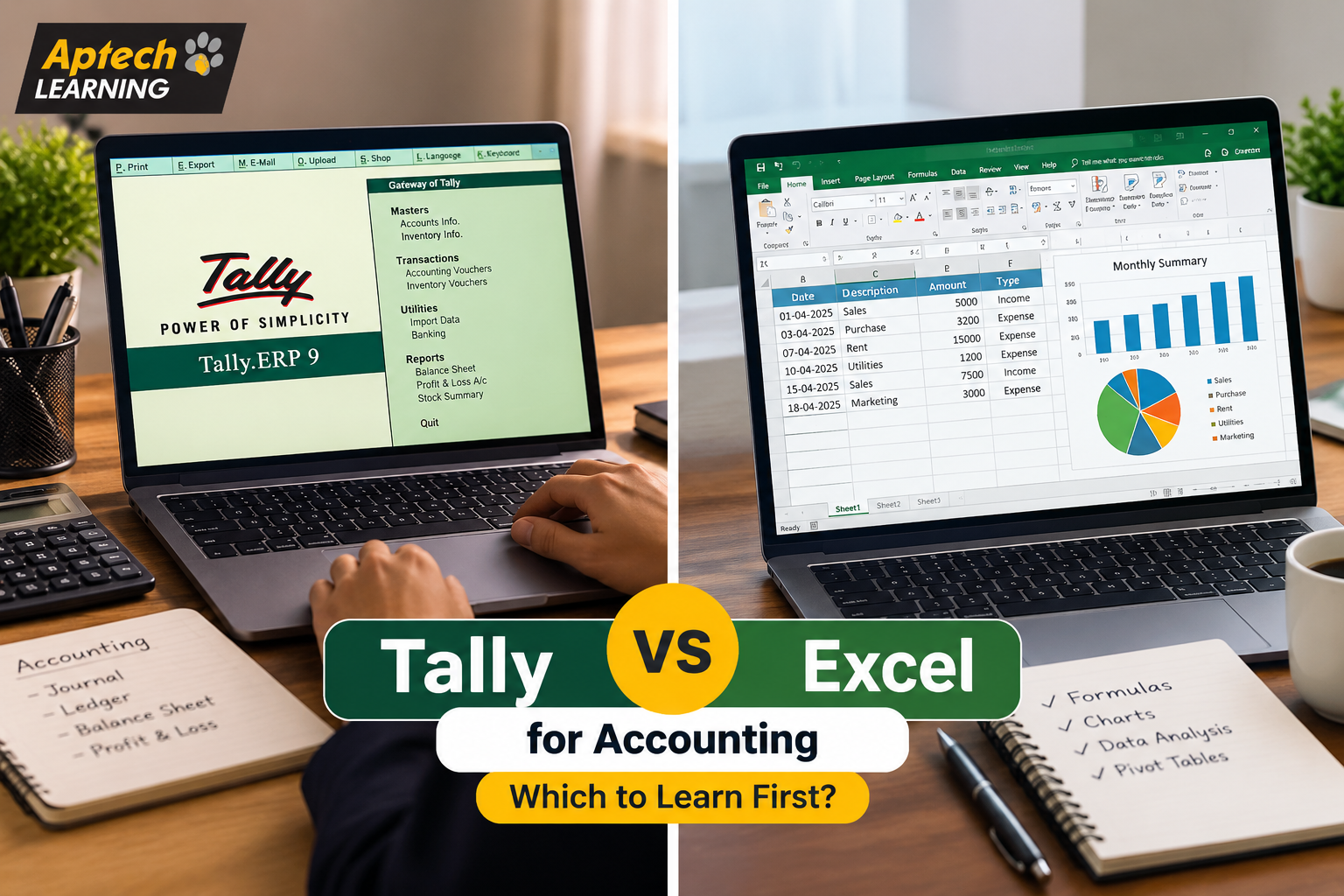
Tally vs Excel for Accounting: Which to Learn First?

What Tally Actually Does Tally is purpose-built accounting software, meaning it was designed from the ground up specifically to handle business accounting tasks. It manages ledgers, records daily transactions like sales and purchases, tracks inventory, handles payroll, manages GST compliance, and automatically generates financial statements like profit and loss reports and balance sheets. The key advantage is that accounting rules are built into the software itself. When you record a transaction in Tally, it automatically applies double-entry accounting principles, updates the relevant ledgers, and keeps everything internally consistent. You do not have to manually build these rules yourself, which significantly reduces the chance of errors in routine accounting work. This is exactly why a huge number of small and mid-sized businesses across India rely on Tally for their day-to-day accounting, and why it appears so frequently in accounting job requirements. What Excel Actually Does Excel is a general-purpose spreadsheet tool, not accounting-specific software. It gives you a blank, flexible grid where you can build practically anything, budgets, financial models, custom reports, data analysis, forecasts, and dashboards, using formulas and functions you construct yourself. The key advantage is exactly that flexibility. Excel does not lock you into any particular structure, which means you can build completely custom analysis that no pre-built software would offer. The trade-off is that this flexibility also means Excel does not automatically enforce accounting rules; if you build a financial model with an error in your formula, Excel will happily calculate the wrong answer without warning you. This is why Excel is used heavily for analysis, planning, and custom reporting in accounting and finance roles, rather than for core transaction recording and compliance work. Why This Comparison Confuses So Many Beginners The confusion mostly comes from the fact that both tools appear in accounting job descriptions, often in the same posting, which makes it seem like they are interchangeable alternatives. They are not. Think of it like comparing a specialised kitchen appliance to a good set of knives. A rice cooker does one specific job extremely well, automatically and consistently. A knife set is far more flexible, you can prepare practically anything with it, but it requires more skill and gives you no built-in safeguards. Most serious cooks own both, using each for what it does best. Tally is the specialised appliance for accounting. Excel is the flexible knife set. Most accounting professionals genuinely use both, just for different parts of their work. Key Differences Between Tally and Excel Aspect | Tally | ExcelPrimary Purpose | Dedicated accounting and compliance software | General-purpose spreadsheet and analysis toolAccounting Rules | Built in automatically | You must build them yourselfGST Compliance | Designed specifically to handle it | Not built for it; requires manual setupFinancial Statements | Generated automatically from recorded data | Must be manually built using formulasFlexibility | More structured, less customisable | Highly flexible and fully customisableError Risk | Lower for routine accounting entries | Higher, since formula errors go undetectedLearning Curve | Structured, focused on accounting workflows | Broader, ranges from basic to very advancedBest Used For | Daily transactions, ledgers, GST, inventory | Analysis, forecasting, budgets, custom reports How Accountants Actually Use Both Together (Step-by-Step) Tally vs Excel vs Learning Both Looking at this as three options, rather than two, is often more useful. Learning only Tally makes sense if your immediate goal is a dedicated accounting role, particularly in a small or mid-sized business or accounting firm where Tally-based work dominates daily responsibilities. Learning only Excel makes sense if your role leans more toward analysis, reporting, or finance rather than pure transaction recording, or if you are in a company that uses different accounting software entirely. Learning both, ideally Tally first for accounting roles, then Excel, generally produces the strongest accounting profile, since real accounting work frequently requires moving between the two. In simple words: Tally handles the recording and compliance side, Excel handles the analysis and custom reporting side, and most experienced accounting professionals genuinely use both regularly. Practical Examples Accountant at a Small Trading Business: The accountant records all daily sales and purchases in Tally for compliance and automatic reporting, then exports data to Excel to build a custom monthly comparison report the owner specifically requested. CA Firm Employee Managing Multiple Clients: An employee uses Tally to manage each client’s books and GST filing separately, while using Excel to maintain a master tracking sheet monitoring filing deadlines across all clients. Finance Executive Building a Budget: A finance executive pulls last year’s actual figures from Tally, then builds the entire next-year budget in Excel, since budgeting involves assumptions that Tally is not designed to model. Fresher Applying for Accounts Jobs: A fresher notices that most local accounting job postings specifically list Tally as a requirement, so they learn Tally first, then add Excel skills afterward to strengthen their profile. Common Mistakes People Make When Choosing Treating them as competing alternatives. They serve different purposes, and choosing “one instead of the other” permanently limits your capability in accounting work. Learning Excel deeply while ignoring Tally for accounting roles. Many Indian accounting job postings specifically require Tally, and strong Excel skills alone may not satisfy that specific requirement. Learning only Tally and never developing Excel skills. This limits your ability to do custom analysis, forecasting, and reporting, which becomes increasingly important at senior levels. Trying to do core accounting entirely in Excel. Building accounting systems from scratch in Excel is error-prone and generally impractical compared to purpose-built software. Choosing based on which tool seems easier rather than which fits the job. Some learners pick Excel because it feels more familiar, even when their target roles specifically require Tally. Not checking actual local job requirements first. The most practical way to decide is looking at what accounting jobs in your city and target industry actually ask for. Career Opportunities Compared Both tools support genuine accounting career paths, though they emphasise different role types. Tally-Focused Career Opportunities Accounts Executive — records daily transactions and manages

Explore More


Career Opportunities After Learning Tally: Complete Guide

Career Opportunities After Learning Tally: Complete Guide

Tally is accounting software used by businesses to manage their day-to-day financial transactions, such as sales, purchases, payments, receipts, and inventory. It also handles GST compliance, payroll, and financial reporting, making it one of the most widely used business accounting tools in India. Think of Tally as a digital version of the old-fashioned accounting ledger books, but far more powerful. Instead of manually writing entries and calculating totals by hand, Tally automates calculations, generates reports instantly, and keeps records organised in a way that is easy to search and verify later. Because so many small and mid-sized businesses in India rely on Tally for their core accounting needs, it remains one of the most practical, job-ready skills a commerce student or working professional can learn. Why Learning Tally Matters for Your Career Tally continues to matter as a career skill for a few clear reasons: A large number of small and medium businesses across India use Tally for daily accounting, creating consistent demand for people who know how to operate it confidently. It is often listed as a required or preferred skill in job postings for accounting, billing, and finance-support roles, even at the entry level. Tally skills are relatively quick to learn compared to full accounting degrees, making it accessible for students and career changers looking for a practical, job-focused skill. It supports GST-related work, which has become an essential part of business compliance in India, adding real value to a candidate’s profile. It acts as a strong foundation for professionals who later want to move into broader accounting, finance, or ERP-related roles. Types of Roles That Use Tally Tally skills are used across a range of roles, particularly in accounting and finance-support functions. Accounts and Billing RolesRoles like accounts executive or billing executive use Tally daily for recording sales, purchases, and payment entries. GST and Compliance RolesRoles focused on GST filing and compliance use Tally to generate accurate tax reports and maintain proper documentation. Inventory and Store RolesRoles managing stock and inventory use Tally to track goods movement, stock levels, and purchase orders. Payroll RolesRoles handling employee salaries use Tally’s payroll features to manage salary processing and related compliance. Small Business Owner or Self-Employed RolesBusiness owners themselves often learn Tally to manage their own company’s accounts without depending fully on external accountants. Role Type | How Tally is Used | Example TaskAccounts Executive | Recording daily transactions | Sales and purchase entriesGST Executive | Tax compliance and filing | Generating GST reportsInventory Executive | Stock management | Tracking purchase and stock levelsPayroll Executive | Salary processing | Managing employee payroll records How Tally Skills Are Used at Work (Step-by-Step) Tally vs Manual Accounting vs Other Accounting Software These represent different approaches to managing business accounts. Manual accounting involves recording transactions by hand in physical ledgers, which is time-consuming and more prone to human error, especially as transaction volume grows. Tally automates much of the accounting process, handling calculations, report generation, and GST compliance far more efficiently than manual methods, while remaining relatively simple to learn. Other accounting software, such as larger ERP systems, often offers more advanced features suited to bigger enterprises, but can be more complex and expensive compared to Tally’s straightforward approach for small and mid-sized businesses. In simple words: manual accounting is slow and error-prone, Tally strikes a practical balance of automation and simplicity, and larger ERP systems are generally reserved for bigger, more complex organisations. Practical Examples Retail Shop: A shop owner uses Tally to record daily sales and purchases, automatically tracking stock levels and generating monthly profit reports. Small Manufacturing Business: An accounts executive uses Tally to manage raw material purchases, production costs, and finished goods inventory. Service-Based Business: A billing executive at a service company uses Tally to generate and track client invoices, along with payment follow-ups. Accounting Firm: A junior accountant at a CA firm uses Tally to manage multiple client accounts, ensuring accurate GST filing and financial reporting for each business. Educational Institute: An accounts team uses Tally to manage fee collection records, staff payroll, and overall institutional expenses. Common Mistakes Beginners Make Learning only data entry without understanding accounting basics. Tally is a tool, and without basic accounting knowledge, entries can be recorded incorrectly. Ignoring GST-related features. Many beginners focus only on basic transactions and skip learning GST compliance features, which are highly valued by employers. Not practising with realistic business data. Learning Tally using overly simple examples makes it harder to handle real, more complex business scenarios later. Skipping report generation practice. Beginners sometimes focus only on data entry and do not practise generating and interpreting financial reports. Not learning keyboard shortcuts. Tally is widely used with keyboard shortcuts for speed, and skipping this slows down real workplace efficiency. Overlooking inventory management features. Some learners focus only on accounting entries and ignore inventory tracking, which is important for product-based businesses. Career Opportunities Tally skills support a range of entry-level and mid-level career paths, especially in accounting and finance-support roles. Common roles include: Accounts Executive — handles daily accounting entries and financial record-keeping. Tally Operator — focuses specifically on data entry and transaction recording within Tally. Billing Executive — manages invoicing, billing, and payment tracking for a business. GST Executive — focuses on GST compliance, filing, and related documentation. Junior Accountant — supports broader accounting functions, often starting with Tally-based tasks. Inventory Executive — manages stock records and purchase tracking using Tally. As professionals gain experience, Tally skills often support a natural progression into senior accounting roles, broader finance positions, or specialised GST and compliance work. Salary Information Salary for roles that rely on Tally skills depends on factors such as your city, the size and industry of the business, your specific role, your skill level, and your years of experience. Entry-level roles naturally pay less than senior accounting positions, and metro cities generally offer higher packages than smaller towns. Rather than fixed numbers, it is more useful to know that Tally skills tend to strengthen your overall

Explore More
tally fresher jobs

Tally Fresher Jobs in Lucknow 2026: Start Your Accounting Career with Aptech Learning

Introduction Are you a student or recent graduate struggling to find your first job in accounting? With the rising demand for skilled accountants across Lucknow’s growing business sector, Tally fresher jobs in Lucknow have become one of the most sought-after career opportunities in 2026. Every business—from small retail shops in Hazratganj to large manufacturing units in Chinhat—needs qualified Tally professionals to manage their finances, GST compliance, and inventory. But here’s the challenge: most employers want candidates who know Tally ERP, GST filing, and real accounting processes, not just theory. At Aptech Learning Lucknow, we bridge this gap by providing hands-on Tally training that makes you job-ready from day one. Whether you’re a commerce student, BBA graduate, or career changer, learning Tally opens doors to stable, well-paying jobs right here in Lucknow. Why Tally Fresher Jobs are Trending in Lucknow Lucknow’s business landscape is expanding rapidly, creating thousands of opportunities for trained accounting professionals. Here’s why Tally jobs are booming: Course Highlights at Aptech Learning Lucknow Our Tally course is designed keeping Lucknow’s job market requirements in mind: Career Opportunities After Tally Course Completing our Tally training opens multiple career paths: Job Roles You Can Apply For: Industries Hiring in Lucknow: Salary Expectations: Why Choose Aptech Learning Lucknow for Tally Training Choosing the right institute makes all the difference in landing your first job. Here’s what sets us apart: Experienced Faculty: Our trainers have 10+ years of corporate accounting experience and understand exactly what companies look for during interviews. Updated Curriculum: We teach Tally Prime (2026 version) with latest GST rules and compliance requirements that businesses use today. Guaranteed Placement Support: We don’t just train you—we connect you with hiring companies across Mahanagar, Alambagh, and Gomti Nagar through our recruitment partners. Real Job Scenarios: Practice on actual company balance sheets, invoices, and returns—not just textbook examples. Lifetime Career Guidance: Even after course completion, our team helps with resume building, interview preparation, and job references. Strategic Lucknow Location: Our Mahanagar center is easily accessible from all parts of Lucknow via metro and bus routes, making daily commute hassle-free. Affordable Investment: Quality training at fees that don’t burden students or parents, with EMI options available. Who Should Join This Tally Course This program is perfect for: Course Duration & Learning Mode Contact Details: +91 6386 119 566 | digilearninglko@gmail.com Course Duration: Learning Options: Certification: Government-recognized Tally certification upon successful completion, valid across India. 📢 Ready to Start Your Accounting Career? Don’t let lack of practical skills stop you from getting your dream job. Thousands of students from Lucknow, Barabanki, Sitapur, and Unnao have already transformed their careers through our Tally training. The accounting job market in Lucknow is growing, and companies are actively hiring trained Tally professionals RIGHT NOW. Take the first step today! 📞 Call Now: +91 6386 119 566📧 Email: digilearninglko@gmail.com📍 Visit: Aptech Learning, Mahanagar, Lucknow Book your FREE demo class and career counseling session. Limited seats available in this month’s batch! ❓ Frequently Asked Questions (FAQs) Conclusion The demand for skilled Tally professionals in Lucknow has never been higher. With businesses rapidly digitalizing their accounting processes and GST compliance becoming increasingly complex, Tally fresher jobs in Lucknow offer a stable, respectable, and growing career path for young professionals. What makes this career truly special is its universal demand—every business needs accounting, making your skills valuable across all industries. At Aptech Learning Lucknow, we don’t just teach software; we prepare you for real-world accounting challenges that you’ll face on day one of your job. Our proven training methodology combines theoretical knowledge with extensive practical application, ensuring you walk out confident and job-ready. From understanding basic voucher entries to filing complex GST returns, from managing inventory to preparing final accounts—you’ll master everything employers expect. The best part? You don’t need an expensive degree or years of education. With just 2-3 months of focused training, you can start earning and building your professional career. Our students working across Lucknow’s top companies—from CA firms in Hazratganj to manufacturing units in Chinhat—are proof that quality training opens doors. Your accounting career is just one decision away. Whether you’re a fresh graduate feeling lost about career direction, a homemaker looking to restart your professional journey, or a working professional seeking better opportunities—Tally skills can transform your future. The Lucknow job market is waiting for trained professionals like you. Don’t wait for the “perfect time”—that time is now. Join Aptech Learning Lucknow’s upcoming Tally batch and take control of your career destiny. Contact us today: +91 6386 119 566 | digilearninglko@gmail.com Let’s turn your accounting dreams into reality!

Explore More
About Image
Guaranteed & Certified

Students are joining

For our career programs like Full Stack Development, Data Science, Data Analyst, and Business Analyst, we guarantee to arrange job interviews for you with our 100+ hiring partners until you get placed

You will be trained by experienced faculty and top-notch mentors. Our senior mentors bring over 20+ years of real-world industry experience directly to your classroom

All our programs are conducted in 100% offline mode at our modern training center in Aliganj, Lucknow. We believe in face-to-face, hands-on learning for the best results

“Aptech Learning Center Mahanagar, founded by renowned educationists, provides high-quality IT education to empower Lucknow’s youth for competitive tech careers.”

Contact Info.

Aptech Learning Center, first floor, Above Radiance, 18 J Road, Near Midland Healthcare and Research center, Mahanagar Lucknow
+91 6386 119 566
digilearninglko@gmail.com

© 2025 Aptech Learning Center Mahanagar | All Rights Reserved | Designed and Developed By DigiGrow Solutions