

MySQL Transactions Tutorial | COMMIT, ROLLBACK & ACID Properties Explained
Imagine you are transferring money from one bank account to another. The amount needs to be deducted from your account and added to the other person’s account. Now imagine the system crashes right after the deduction but before the addition happens. Your money has simply vanished — deducted from your account, never received by anyone.
This is exactly the kind of problem that MySQL transactions exist to prevent. If you have ever wondered what transactions actually are, why COMMIT and ROLLBACK matter, or what people mean when they talk about “ACID properties,” this tutorial explains all of it in plain language with practical examples you can run yourself.
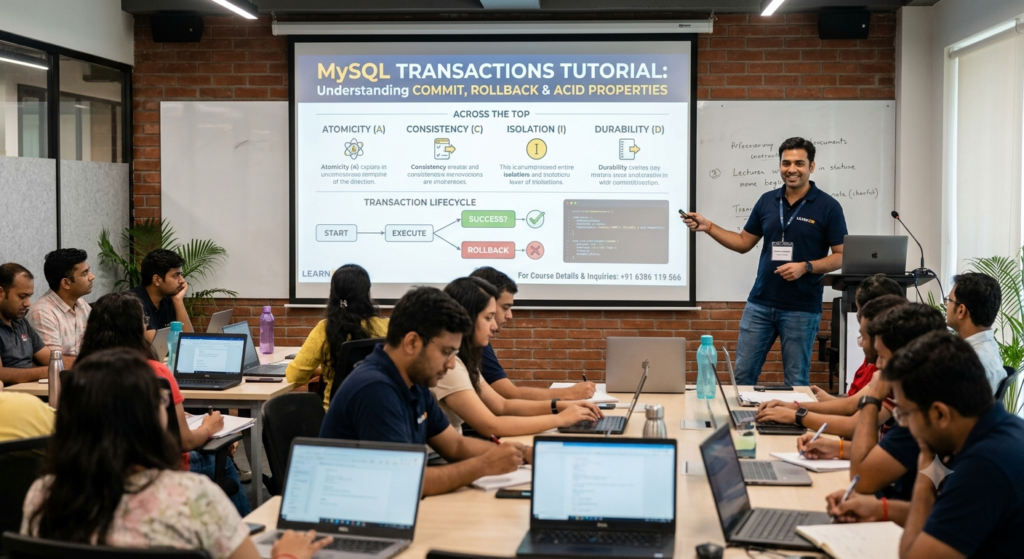
What is a MySQL transaction?
A transaction is a group of one or more SQL statements that are executed together as a single unit. Either all of the statements succeed and the changes are saved permanently, or if anything goes wrong, none of the statements take effect at all.
Going back to the bank transfer example — the deduction and the addition are wrapped inside one transaction. If both succeed, the transaction is committed and the changes become permanent. If anything fails in between, the transaction is rolled back and the database returns to exactly how it was before the transaction started. The money is never lost, and it is never duplicated.
This concept is critical anywhere multiple related changes need to happen together — e-commerce orders that deduct stock and create an invoice, airline bookings that reserve a seat and charge payment, or any system where partial completion would cause real damage.
Why do you need transactions in MySQL?
Without transactions, every SQL statement you run executes and commits immediately on its own. This is called auto-commit mode, and it is MySQL’s default behaviour. For simple, independent operations, that is fine. But for operations that depend on each other, auto-commit mode is dangerous.
Consider this without a transaction:
sql
UPDATE accounts SET balance = balance - 5000 WHERE account_id = 101;
-- System crashes here
UPDATE accounts SET balance = balance + 5000 WHERE account_id = 102;
If the system crashes after the first statement, account 101 has lost 5000 rupees and account 102 never received it. The data is now inconsistent, and there is no automatic way to fix it.
Now look at the same operation wrapped in a transaction:
sql
START TRANSACTION;

UPDATE accounts SET balance = balance - 5000 WHERE account_id = 101;
UPDATE accounts SET balance = balance + 5000 WHERE account_id = 102;

COMMIT;
If anything fails before COMMIT runs, you can issue a ROLLBACK and both updates are undone completely. The database returns to its original, consistent state.
The core transaction commands
MySQL gives you a small set of commands to control transactions. Once you understand these, you understand the entire mechanism.
| Command | What It Does |
|---|---|
START TRANSACTION or BEGIN | Marks the beginning of a transaction |
COMMIT | Saves all changes made during the transaction permanently |
ROLLBACK | Undoes all changes made during the transaction |
SAVEPOINT name | Creates a checkpoint within a transaction you can roll back to |
ROLLBACK TO SAVEPOINT name | Undoes changes back to a specific savepoint, not the entire transaction |
RELEASE SAVEPOINT name | Removes a savepoint without rolling back |
COMMIT — making changes permanent
COMMIT finalises all the changes made since the transaction started. Once a transaction is committed, the changes are permanent and visible to all other users and connections to the database.
sql
START TRANSACTION;

INSERT INTO orders (customer_id, total) VALUES (5, 1500.00);
UPDATE inventory SET stock = stock - 1 WHERE product_id = 22;

COMMIT;
Both the new order and the updated inventory are now permanently saved together.
ROLLBACK — undoing everything
ROLLBACK cancels every change made since the transaction began. This is your safety net when something goes wrong mid-process.
sql
START TRANSACTION;

UPDATE accounts SET balance = balance - 10000 WHERE account_id = 101;

-- Check if balance went negative (insufficient funds)
-- If it did, cancel everything

ROLLBACK;
After ROLLBACK, it is as if the UPDATE statement never ran at all.
SAVEPOINT — partial rollbacks
Sometimes you do not want to undo an entire transaction, just a portion of it. SAVEPOINT lets you create a checkpoint and roll back to that exact point without losing everything that happened before it.
sql
START TRANSACTION;

UPDATE accounts SET balance = balance - 2000 WHERE account_id = 101;
SAVEPOINT after_deduction;

UPDATE accounts SET balance = balance + 2000 WHERE account_id = 999;
-- This account does not exist, this update fails or is wrong

ROLLBACK TO SAVEPOINT after_deduction;
-- The deduction from account 101 stays, only the bad update is undone

COMMIT;
ACID properties explained simply
ACID is an acronym that describes the four properties every reliable transaction must guarantee. Understanding ACID is what separates someone who can write COMMIT and ROLLBACK from someone who actually understands why transactions exist.
| Property | What It Means | Simple Example |
|---|---|---|
| Atomicity | All statements in a transaction succeed together, or none do | Bank transfer either fully completes or doesn’t happen at all |
| Consistency | The database moves from one valid state to another valid state | Total money in the bank stays the same before and after transfer |
| Isolation | Concurrent transactions do not interfere with each other | Two people booking the last movie seat don’t both succeed |
| Durability | Once committed, changes survive even a system crash | After COMMIT, your data is safely written to disk permanently |
Atomicity — all or nothing
Atomicity means a transaction is treated as a single, indivisible unit. If any part of the transaction fails, the entire transaction fails and nothing is saved. There is no scenario where half of a transaction’s changes are applied and the other half are not.
Consistency — data stays valid
Consistency means a transaction can only bring the database from one valid state to another valid state. If a rule says account balances cannot go negative, no transaction is allowed to violate that rule, even temporarily during execution.
Isolation — transactions don’t step on each other
Isolation ensures that when multiple transactions run at the same time, they do not see each other’s incomplete, uncommitted changes. Without isolation, two customers could both see one seat as “available” at the same moment and both successfully book it — a serious real-world bug. MySQL handles this through isolation levels, covered next.
Durability — committed means permanent
Durability guarantees that once a transaction is committed, the changes are permanently stored, even if the server crashes immediately afterward. MySQL achieves this by writing committed data to disk, not just keeping it in memory.
Understanding isolation levels in MySQL
Isolation levels control exactly how much one transaction can see of another transaction’s in-progress changes. MySQL’s default storage engine, InnoDB, supports four standard isolation levels.
| Isolation Level | Dirty Read Possible? | Non-Repeatable Read Possible? | Use Case |
|---|---|---|---|
| READ UNCOMMITTED | Yes | Yes | Rarely used, lowest safety |
| READ COMMITTED | No | Yes | Common in many applications |
| REPEATABLE READ | No | No | MySQL’s default, strong safety |
| SERIALIZABLE | No | No | Highest safety, slowest performance |
You can check and set the isolation level like this:
sql
SELECT @@transaction_isolation;

SET SESSION TRANSACTION ISOLATION LEVEL READ COMMITTED;
MySQL uses REPEATABLE READ by default, which offers strong protection against most concurrency issues while maintaining good performance for typical applications.
A complete real-world transaction example
Here is a full, practical example — processing an order that must update three related tables together, with proper error handling logic built in.
sql
START TRANSACTION;

-- Step 1: Reduce product stock
UPDATE products
SET stock_quantity = stock_quantity - 2
WHERE product_id = 45 AND stock_quantity >= 2;

-- Step 2: Create the order record
INSERT INTO orders (customer_id, product_id, quantity, order_date)
VALUES (12, 45, 2, NOW());

-- Step 3: Record the payment
INSERT INTO payments (order_id, amount, status)
VALUES (LAST_INSERT_ID(), 2400.00, 'completed');

-- If all three steps succeeded, save everything
COMMIT;

-- If stock was insufficient or any step failed, you would instead run:
-- ROLLBACK;
This pattern — checking conditions, making related updates, then committing only if everything is valid — is exactly how real e-commerce, banking, and booking systems prevent data corruption.

Why learn transactions at Aptech Learning Lucknow
Transactions are one of those topics that sound simple in theory but trip up developers in real projects when they are not understood properly. A missing COMMIT, a ROLLBACK placed in the wrong spot, or an unclear understanding of isolation levels can cause subtle bugs that are extremely difficult to trace later.
Aptech Learning Lucknow’s MySQL course covers transactions as part of the complete curriculum, with hands-on practice on real multi-table scenarios — not just isolated textbook examples. You learn how transactions fit into actual application logic, how to handle errors properly, and how to think about data consistency the way a working database professional does.
Visit aptechlearninglko.com to explore the full MySQL course and enrollment details.
Frequently Asked Questions
Q1. What is a transaction in MySQL in simple terms?
A transaction in MySQL is a group of SQL statements that are executed together as one unit. Either every statement in the group succeeds and the changes are saved permanently, or if something goes wrong, none of the changes are applied at all. This prevents situations where a multi-step operation is left half-finished, which could leave your data inconsistent or incorrect.
Q2. What is the difference between COMMIT and ROLLBACK in MySQL?
COMMIT saves all the changes made during a transaction permanently to the database. Once committed, those changes are visible to everyone and cannot be undone through the transaction mechanism. ROLLBACK does the opposite — it cancels all changes made since the transaction started, returning the database to the state it was in before the transaction began. You use COMMIT when everything completed successfully, and ROLLBACK when something went wrong and you need to undo the changes.
Q3. What are ACID properties in a database and why do they matter?
ACID stands for Atomicity, Consistency, Isolation, and Durability — four properties that guarantee a database transaction is processed reliably. Atomicity ensures all-or-nothing execution. Consistency ensures the database only moves between valid states. Isolation ensures concurrent transactions don’t interfere with each other. Durability ensures committed changes survive system crashes. These properties matter because without them, databases used for banking, e-commerce, or any critical system would be vulnerable to data corruption, lost updates, and inconsistent records.
Q4. Does every MySQL storage engine support transactions?
No. Transaction support depends on the storage engine you are using. InnoDB, which is MySQL’s default storage engine since version 5.5, fully supports transactions and ACID properties. MyISAM, an older storage engine, does not support transactions at all — every statement commits immediately and there is no rollback capability. For any application that needs data integrity guarantees, always use InnoDB tables.
Q5. What is a SAVEPOINT and when should I use it?
A SAVEPOINT is a named checkpoint within a transaction that lets you roll back part of the transaction without undoing everything. This is useful in complex transactions with multiple steps, where you want the option to discard only a portion of the work if something specific fails, while keeping the earlier successful steps intact. For example, in a multi-item order process, you might use a savepoint after processing each item, so a failure on item three does not force you to discard items one and two as well.
Q6. What happens if I forget to COMMIT a transaction in MySQL?
If you start a transaction and never issue a COMMIT, the changes remain uncommitted and are not visible to other database connections. If your session ends or disconnects without committing, MySQL automatically rolls back the uncommitted changes. This is actually a safety feature — it prevents accidental partial changes from silently becoming permanent. However, it can also cause confusion for beginners who forget to commit and then wonder why their changes do not appear when they query the table from another session.
Conclusion
Transactions are not an advanced, optional topic you can skip — they are fundamental to building any application where data accuracy actually matters. Once you understand COMMIT, ROLLBACK, SAVEPOINT, and the four ACID properties behind them, you start writing SQL with a much deeper awareness of what can go wrong and how to prevent it.
The concepts here are simple once explained properly, but applying them correctly in real, multi-step database operations takes practice. That practical experience is exactly what a structured course builds.
For complete, hands-on MySQL training covering transactions and every other core topic, visit aptechlearninglko.com and start learning with proper guidance.