Cart

Your cart is currently empty.

Sub Total: 0.00

Category: MYSQL

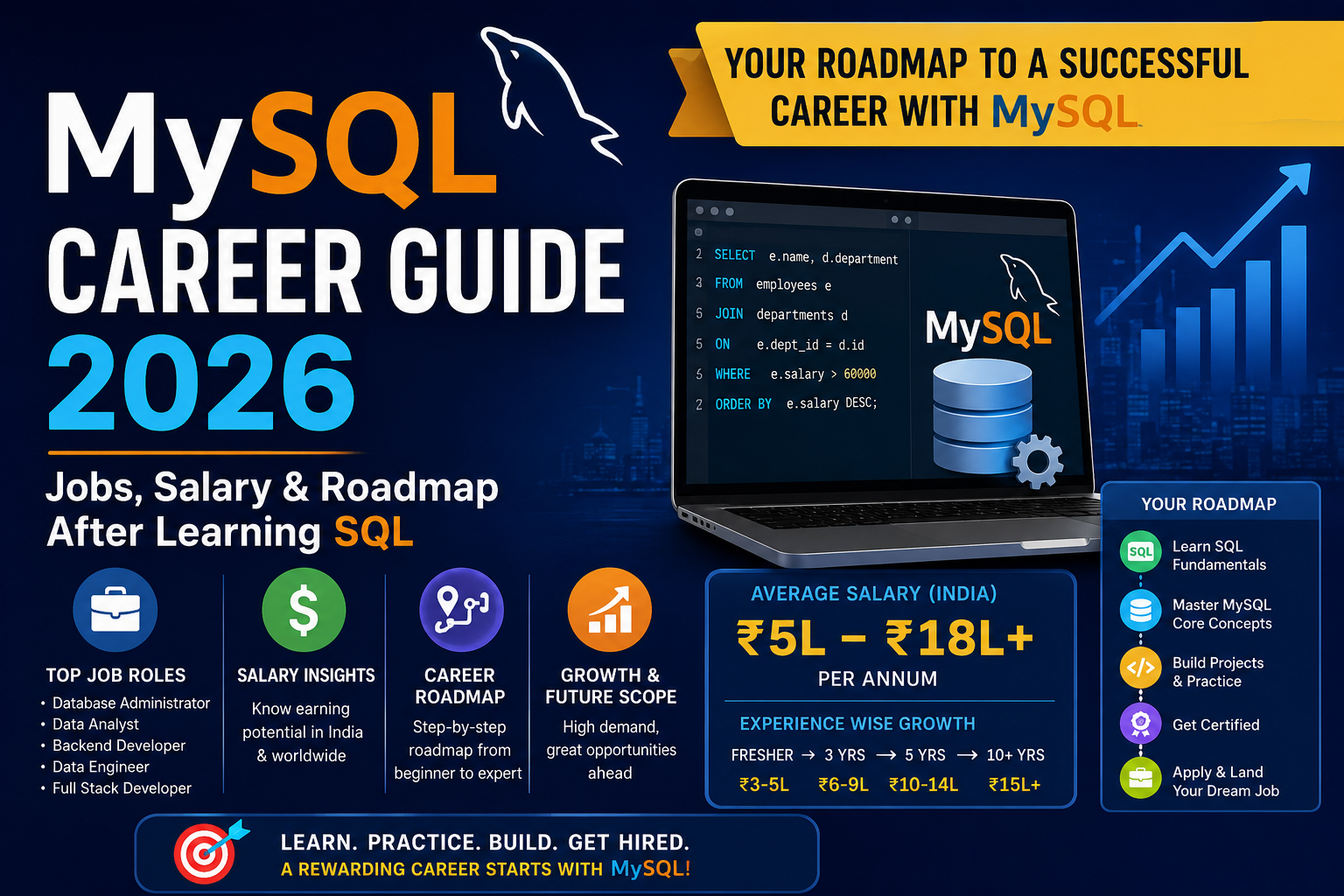
MySQL Career Guide 2026 | Jobs, Salary & Roadmap After Learning SQL

MySQL Career Guide 2026 | Jobs, Salary & Roadmap After Learning SQL

One question comes up constantly among students and freshers who have started learning MySQL: what actually happens after you learn it? What jobs are available, what do they pay, and what is the realistic path from learning SQL to getting hired? This guide answers all of that directly. No vague promises — just a clear picture of the MySQL job market in India in 2026, the roles available at different experience levels, salary expectations, and a practical roadmap for getting from where you are now to where you want to be. If you are in Lucknow and want structured training that takes you through this entire path with placement support, Aptech Learning Lucknow is built precisely for that purpose. Why MySQL skills lead to real jobs in 2026 MySQL is not a niche skill. It is infrastructure. Every company that builds a web application, manages customer data, runs an e-commerce platform, or does any kind of data analysis needs people who understand relational databases. In India alone, thousands of job postings on LinkedIn, Naukri, and Indeed list MySQL as a required or preferred skill every single month. What makes MySQL particularly valuable as a career skill is its versatility. It is not tied to one job title or one industry. SQL knowledge is required in backend development, data analysis, database administration, data engineering, and even in business analyst roles where querying data is part of the daily work. Learning MySQL does not just open one door — it opens several simultaneously. Top career paths after learning MySQL Here is a clear breakdown of the main roles available to someone with solid MySQL skills, from entry level to senior: Job Role Core Skills Required Experience Level Avg. Salary India SQL Developer Queries, joins, stored procedures, views Fresher to 2 years ₹3.5 – ₹7 LPA Backend Developer MySQL + PHP or Python or Node.js Fresher to 3 years ₹4 – ₹10 LPA Data Analyst MySQL + Excel + Power BI or Tableau Fresher to 3 years ₹3.5 – ₹9 LPA Database Administrator (DBA) Indexing, backup, security, replication 1 – 4 years ₹5 – ₹14 LPA Data Engineer MySQL + Python + ETL + cloud basics 2 – 5 years ₹7 – ₹20 LPA Business Analyst SQL + business domain knowledge 1 – 4 years ₹4 – ₹12 LPA Senior DBA / DB Architect Full MySQL stack + replication + partitioning 5+ years ₹15 – ₹30 LPA Every single role in this table lists MySQL or SQL as a core requirement. The entry-level positions are genuinely accessible within three to six months of structured learning. The mid and senior roles become reachable as you combine MySQL expertise with one or two complementary skills. What freshers can realistically expect Fresh graduates often worry that employers will not consider them without prior work experience. In the database world, this concern is less of a barrier than in many other tech areas — because SQL skills are directly demonstrable. A fresher who can sit in front of a computer during an interview, write a correct JOIN query, design a normalised table schema, and explain what an index does — that person gets hired. The skill is observable in real time. You do not need a portfolio of deployed projects the way a frontend developer might. You need to demonstrate that you can actually work with databases. What gives freshers a genuine edge in 2026: A MySQL certification from Oracle signals that your knowledge has been tested to a formal standard. Recruiters who see it on a resume pay attention. Practice projects — a student management system, an inventory database, a simple e-commerce schema — show that you have applied the theory to something real. Knowledge of one pairing skill — MySQL combined with Python, or MySQL combined with Power BI, makes you significantly more hirable than MySQL alone. SQL developer salary in India — city-wise breakdown Salaries vary considerably by city and company type. Here is a realistic picture for 2026: City Fresher (0–1 yr) Mid-Level (2–4 yrs) Senior (5+ yrs) Bengaluru ₹4 – ₹7 LPA ₹8 – ₹18 LPA ₹20 – ₹35 LPA Hyderabad ₹3.5 – ₹6.5 LPA ₹7 – ₹16 LPA ₹18 – ₹30 LPA Pune ₹3.5 – ₹6 LPA ₹7 – ₹15 LPA ₹16 – ₹28 LPA Mumbai ₹4 – ₹7 LPA ₹8 – ₹17 LPA ₹18 – ₹32 LPA Delhi / NCR ₹3.5 – ₹6.5 LPA ₹7 – ₹15 LPA ₹16 – ₹28 LPA Lucknow ₹2.5 – ₹5 LPA ₹5 – ₹10 LPA ₹10 – ₹18 LPA Other Tier 2 Cities ₹2 – ₹4.5 LPA ₹4 – ₹9 LPA ₹8 – ₹15 LPA Lucknow’s tech sector has grown significantly over the past few years. IT services companies, fintech startups, healthcare technology firms, and e-commerce operations are all hiring SQL-skilled professionals locally — meaning you do not have to relocate to a metro city to start your database career. The MySQL career roadmap — phase by phase This is the realistic, step-by-step path from learning MySQL to building a career with it. Phase 1 — Foundation (Month 1 to 2) Install MySQL and Workbench. Learn SQL fundamentals: SELECT, INSERT, UPDATE, DELETE, WHERE, ORDER BY, GROUP BY. Understand data types, tables, and basic database concepts. By the end of this phase, you should be writing useful single-table queries confidently. Phase 2 — Core Skills (Month 2 to 3) Master SQL joins — INNER JOIN, LEFT JOIN, RIGHT JOIN. Learn subqueries, CTEs, and aggregate functions. Understand database design basics: primary keys, foreign keys, normalization to 3NF. Build your first complete database project from scratch. Phase 3 — Intermediate to Advanced (Month 3 to 5) Learn stored procedures, triggers, transactions, and ACID properties. Understand indexing deeply — B-Tree indexes, composite indexes, covering indexes. Practice using EXPLAIN to analyse and optimise query performance. Build two or three project databases of increasing complexity. Phase 4 — Specialise and Certify (Month 5 to 6) Choose a pairing skill based on your career direction. For development: add PHP or

Explore More
MySQL Certification Course 2026 | Best SQL Certification for Job Seekers

MySQL Certification Course 2026 | Best SQL Certification for Job Seekers

If you are learning MySQL and wondering whether a certification actually matters for getting a job in 2026 — you are asking exactly the right question. The honest answer is: yes, it matters, but only if you pair it with real skills. A certificate without practical knowledge impresses no one. Practical knowledge with a certificate opens doors noticeably faster. This guide explains what MySQL certifications exist, which ones are worth pursuing, what the course covers, and how Aptech Learning Lucknow helps you get both — the certificate and the confidence to back it up. Why MySQL certification matters for job seekers in 2026 The IT job market in India has become significantly more competitive. Hundreds of freshers apply for the same SQL developer, backend developer, and data analyst positions. Recruiters scan resumes quickly. A recognised MySQL or SQL certification is one of the few things that can make your profile stand out in the first ten seconds of that scan. More importantly, certification preparation forces structured, comprehensive learning. You cannot bluff your way through a certification exam the way you might bluff through a casual interview. The preparation process fills the gaps in your knowledge and builds the kind of systematic understanding that experienced developers have. For freshers especially, a MySQL certification answers a question that every recruiter has when looking at a new graduate’s resume: can this person actually use databases, or did they just take a course once? What is the MySQL certification and who offers it? The most widely recognised MySQL certification is the Oracle MySQL Database Administration certification, offered by Oracle Corporation — the company that owns MySQL. Oracle offers several levels: Certification Level Best For MySQL 8.0 Database Administrator Associate Beginners and students Oracle Certified Professional — MySQL Professional Working developers and DBAs MySQL 8.0 Developer Developer Track Developers who write SQL applications Oracle’s certifications are the industry standard. They are recognised globally and appear prominently in job descriptions for SQL-related roles. The associate-level exam is the right starting point for beginners and fresh graduates. Beyond Oracle, platforms like Coursera, LinkedIn Learning, and Simplilearn offer MySQL course completion certificates that, while not Oracle-level, are still useful for demonstrating initiative and structured learning to employers — particularly at entry level. What does a MySQL certification course cover? A properly structured MySQL certification course covers the following areas — these align directly with what Oracle’s certification exams test: Topic Area What You Learn MySQL Architecture How MySQL Server works, storage engines, connection management SQL Fundamentals SELECT, INSERT, UPDATE, DELETE, filtering, sorting Database Design Tables, data types, primary keys, foreign keys, normalization SQL Joins & Subqueries INNER JOIN, LEFT JOIN, subqueries, CTEs Functions & Aggregation GROUP BY, HAVING, COUNT, SUM, AVG, string and date functions Stored Procedures Creating and calling procedures, IN/OUT parameters Triggers & Events Automating database actions with BEFORE/AFTER triggers Transactions COMMIT, ROLLBACK, ACID properties, isolation levels Indexing & Optimization B-Tree indexes, EXPLAIN, slow query log, performance tuning Security & Administration User management, GRANT/REVOKE, backup, restore If a course you are considering does not cover all of these areas, it is not preparing you for either the certification exam or a real job. Any course that stops at basic SELECT queries is a starter course, not a certification-level course. Is MySQL certification worth it for freshers in India? Yes — with one important condition. Certification is worth pursuing after you have built real, working knowledge of MySQL. Many students make the mistake of chasing a certificate before they can actually write a proper JOIN query or design a normalized table. That approach produces a certificate but not a skill. The right sequence is: learn properly first, build practical projects, then certify. In that order, the certification validates skills you genuinely have — and that combination is what employers actually value. For freshers in Lucknow and across India, a MySQL certification combined with a portfolio of small real-world projects — a student management system, a product inventory database, a simple e-commerce schema — is a significantly stronger job application than either one alone. How Aptech Learning Lucknow prepares you for MySQL certification Aptech Learning Lucknow’s MySQL course is structured specifically to build certification-ready skills alongside practical ability. You do not just read theory — you write queries, design databases, build projects, and go through exam-pattern practice questions before you sit for any certification exam. The course covers every topic area tested by Oracle’s MySQL certification exam, taught by instructors with real industry experience. You get hands-on lab time with actual MySQL databases, structured revision of exam topics, and mock tests that reflect the difficulty and format of the actual certification exam. Beyond the certification itself, Aptech’s placement support connects your newly certified skills with companies hiring SQL developers, data analysts, and database administrators in Lucknow and beyond. The goal is not just to get you a certificate — it is to get you a job. Visit aptechlearninglko.com for current batch timings, fees, and enrollment details. Frequently Asked Questions Final thoughts MySQL certification in 2026 is not just a line on a resume — it is evidence of a standard of knowledge that employers can trust. In a competitive job market, that matters. But it matters most when the certificate is backed by real ability: when you can sit in front of a database, design it properly, write efficient queries, and explain what you did and why. That combination — certified and capable — is exactly what Aptech Learning Lucknow’s MySQL course is built to produce. Visit aptechlearninglko.com to enroll and get started.

Explore More
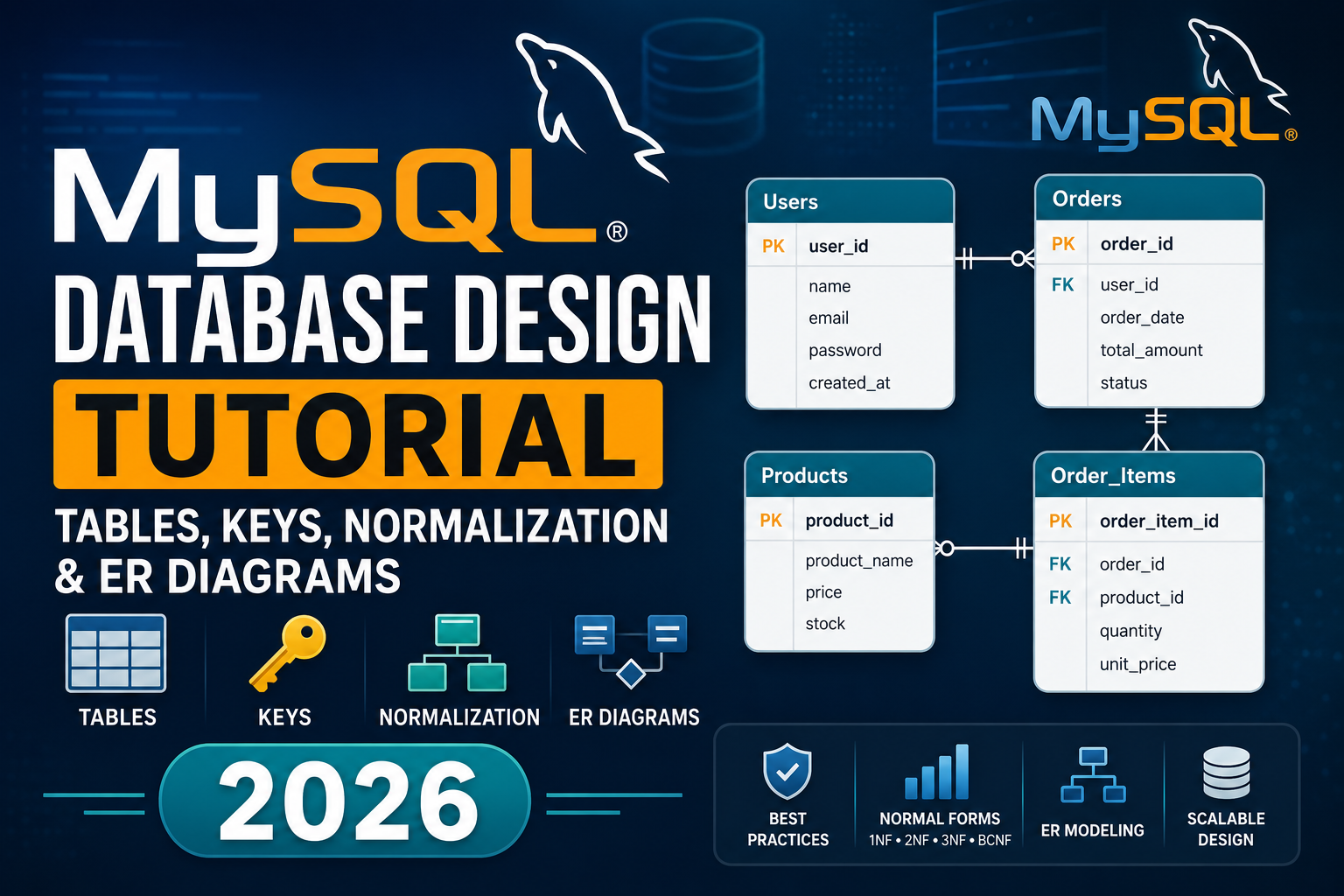
MySQL Database Design Tutorial | Tables, Keys, Normalization & ER Diagrams

MySQL Database Design Tutorial | Tables, Keys, Normalization & ER Diagrams 2026

Most beginners learn how to write SQL queries fairly quickly. SELECT, INSERT, JOIN — these commands make sense once you practice them a few times. But there is a skill that matters just as much and gets taught far less often: how to design the database itself before you write a single query. Bad database design is one of the most common sources of slow applications, inconsistent data, and maintenance nightmares in real projects. A database that is designed properly from the start is fast to query, easy to extend, and clean to maintain for years. One that is designed carelessly causes problems that no amount of clever SQL can fully fix. This tutorial covers everything you need to know about MySQL database design — tables, keys, relationships, normalization, and ER diagrams — explained in a straightforward way with real examples throughout. Why database design matters before you write any SQL Imagine you are building a student enrollment system. A beginner’s instinct is often to create one big table with everything in it — student name, course name, instructor name, marks, city, phone number, all in a single row. This works at first. Then the problems start. If a student enrolls in three courses, their name, city, and phone number get repeated three times. If they move cities, you have to update three rows instead of one — and if you miss one, your data is now inconsistent. If you want to list all available courses, you cannot do it cleanly because courses are buried inside student rows. Good database design eliminates these problems before they happen. It is the difference between building on a solid foundation and building on sand. Tables — the basic building block of every MySQL database Every piece of data in MySQL lives in a table. A table is a collection of rows and columns, exactly like a spreadsheet. Each column has a name and a data type. Each row is one record. Here is a well-designed students table: sql A few design decisions are already happening here worth understanding: AUTO_INCREMENT PRIMARY KEY on student_id means MySQL automatically assigns a unique number to each new student. You never have to manage this manually. NOT NULL on full_name and email means these fields cannot be left empty. Every student must have a name and email. UNIQUE on email means no two students can share the same email address. MySQL enforces this at the database level — your application does not have to check. DEFAULT (CURRENT_DATE) on joined_date automatically fills in today’s date if no date is provided. These are not just nice-to-haves. They are the constraints that keep your data clean and consistent automatically, without relying on your application code to always behave perfectly. Data types — choosing the right one matters Every column in a MySQL table needs a data type. Choosing the right data type affects storage efficiency, query performance, and data integrity. Data Type What It Stores Example INT Whole numbers student_id, age, quantity DECIMAL(10,2) Exact decimal numbers price, salary, fees FLOAT / DOUBLE Approximate decimals scientific measurements VARCHAR(n) Variable-length text up to n characters name, email, city CHAR(n) Fixed-length text exactly n characters country code, status codes TEXT Long text content description, bio, comments DATE Date only (YYYY-MM-DD) enrollment_date, birthdate DATETIME Date and time created_at, last_login TIMESTAMP Date and time, auto-updates updated_at BOOLEAN / TINYINT(1) True or false is_active, is_verified ENUM One value from a defined list status (‘active’,’inactive’) A common beginner mistake is storing phone numbers as INT. Phone numbers can start with zero and sometimes include country codes with plus signs — they are not mathematical numbers you would add or subtract. Always store phone numbers as VARCHAR. Keys — how MySQL identifies and connects data Keys are what give a database its structure and relational power. Understanding keys is non-negotiable for proper database design. Primary Key A primary key is a column (or combination of columns) that uniquely identifies every row in a table. No two rows can have the same primary key value. No primary key can be NULL. Best practice is to use a surrogate key — a system-generated integer like student_id INT AUTO_INCREMENT — rather than a natural identifier like a name or email. Names can change. Emails can change. A system-generated number never does. sql Foreign Key A foreign key is a column in one table that references the primary key of another table. This is what creates a relationship between tables. sql The FOREIGN KEY constraint tells MySQL: every student_id in the enrollments table must exist in the students table. Every course_id must exist in the courses table. If you try to insert an enrollment for a student that does not exist, MySQL rejects it. This is called referential integrity — the database enforces consistency automatically. Unique Key A unique key ensures that all values in a column are distinct. Unlike a primary key, a unique key column can contain NULL (though only one NULL is allowed). Use it on columns like email, username, or national ID number. Composite Key A composite key uses two or more columns together as a primary key. This is common in junction tables that link two entities. sql Here the combination of student_id and course_id is unique — a student can enroll in many courses, but only once per course. Keys at a glance Key Type Purpose NULL Allowed? Duplicates Allowed? Primary Key Uniquely identifies each row No No Foreign Key Links to primary key of another table Yes (usually No) Yes Unique Key Ensures column values are distinct Yes (one NULL) No Composite Key Multiple columns form one key Depends on usage No (as combination) Index Speeds up queries (not a constraint) Yes Yes Table relationships — the heart of relational design Relational databases are powerful because tables can be connected to each other. There are three types of relationships: One-to-Many (most common) One record in Table A is related to many records in Table B.

Explore More
What is MySQL?

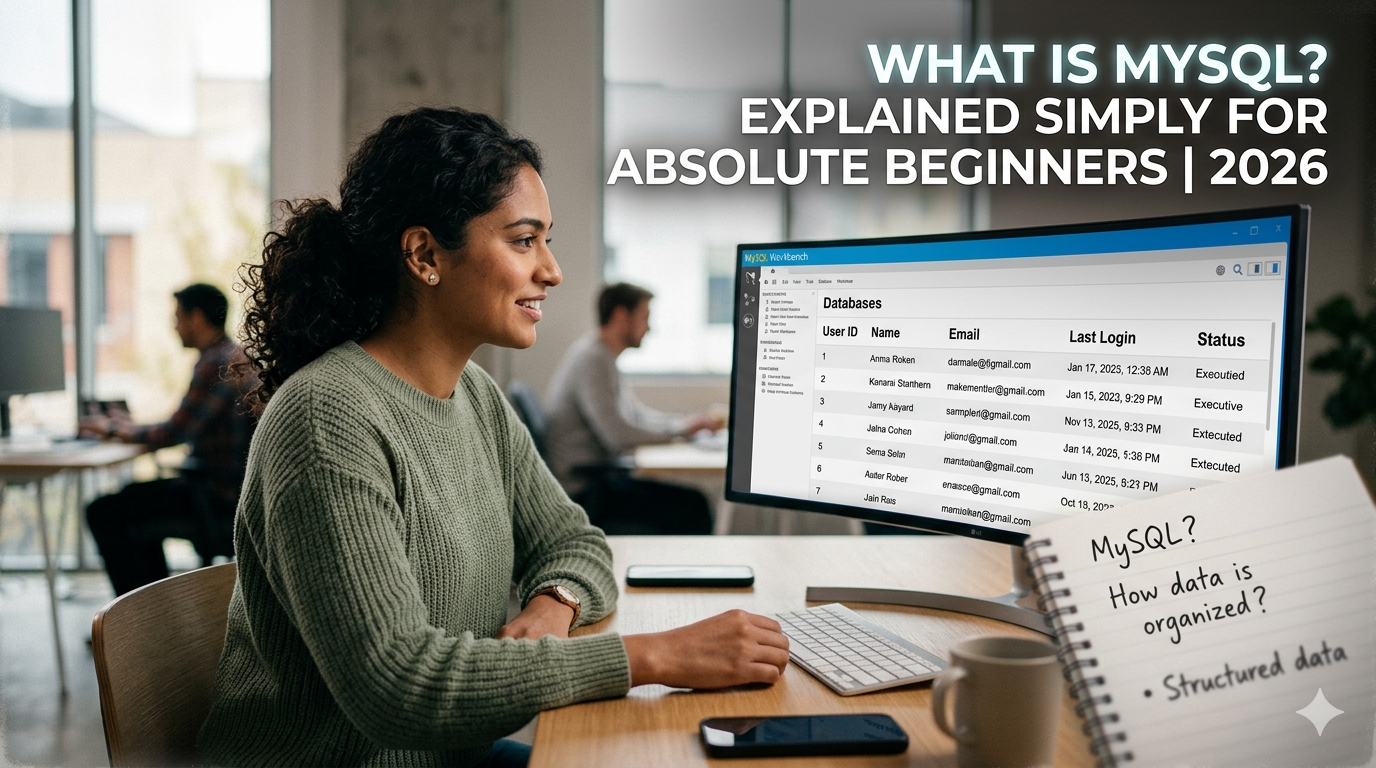
What is MySQL? Explained Simply for Absolute Beginners 2026

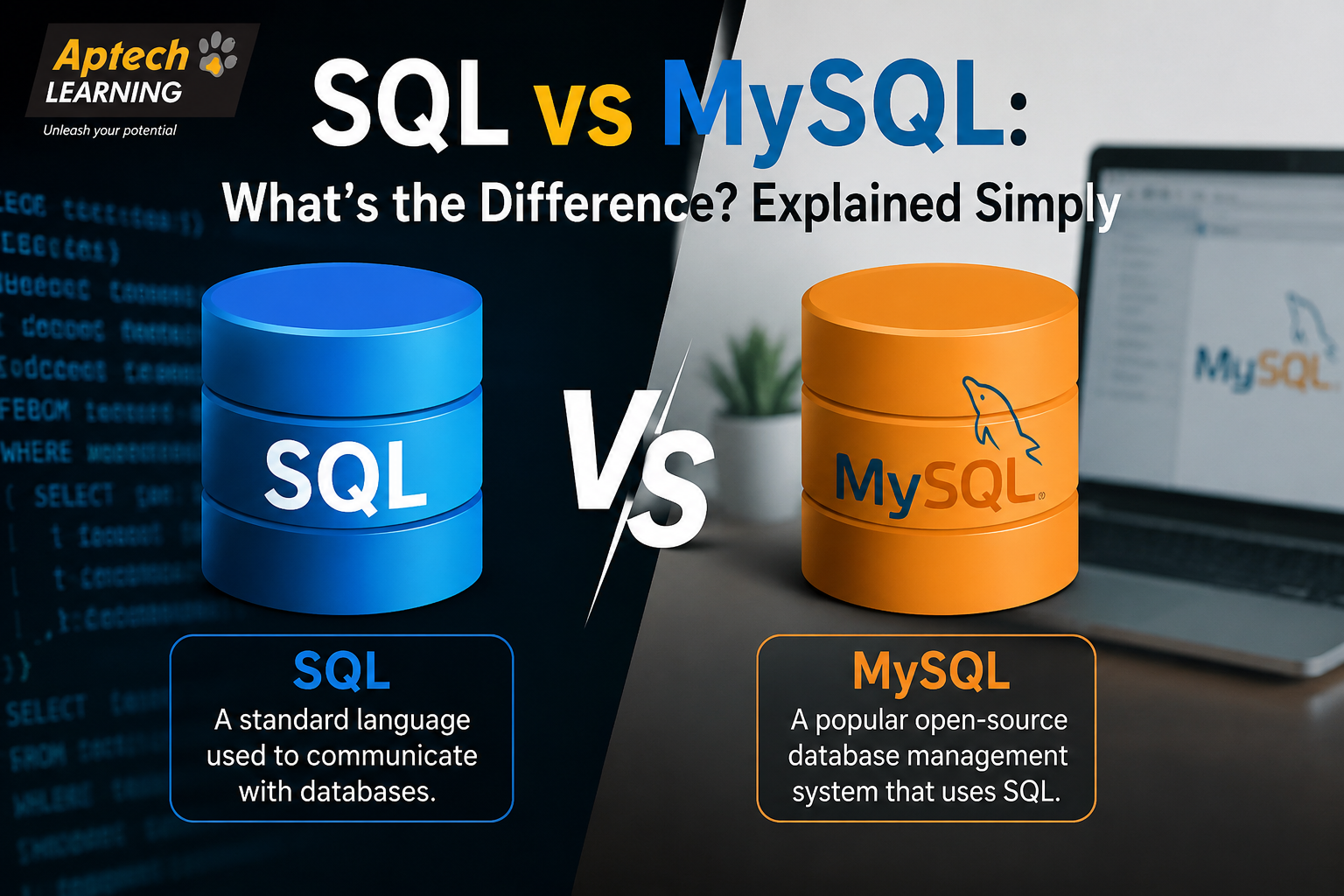
If you have ever searched “what is MySQL” and ended up more confused than when you started, this article is for you. No jargon. No assumed knowledge. Just a plain, honest explanation of what MySQL is, what it actually does, and why so many developers, companies, and learners care about it in 2026. By the end of this page, you will understand MySQL well enough to explain it to someone else — and know exactly how to get started learning it. What does MySQL actually look like? When most people imagine a database, they picture something complicated and invisible. In reality, a MySQL database looks a lot like a collection of Excel sheets. Imagine a school has a database. It might have a table called students that looks like this: student_id name city age 1 Rahul Sharma Lucknow 21 2 Priya Verma Kanpur 20 3 Amit Singh Agra 22 Each row is one student. Each column is one piece of information about that student. Clean, organised, easy to search. Now imagine the school also has a table called courses that stores which courses each student is enrolled in. MySQL lets you connect these two tables — so with a single command, you can ask: “Show me all students from Lucknow who are enrolled in the MySQL course.” And MySQL returns exactly that information in milliseconds, even if the database contains a million students. That ability to connect tables and retrieve specific data instantly is what makes relational databases so powerful. What language does MySQL use? MySQL uses a language called SQL — Structured Query Language. This is the language you write to give MySQL its instructions. SQL is not a general-purpose programming language like Python or Java. It is specifically designed for talking to databases. The commands are simple, readable English-like instructions: Even without any prior training, you can probably guess what each of those commands does just by reading them. That readability is one of the reasons SQL — and MySQL — is so approachable for beginners. What is MySQL used for in real life? MySQL is used everywhere. Here are some concrete, real-world examples that show exactly where MySQL shows up in daily life: Real-Life Scenario How MySQL Is Used You log into a website MySQL checks your username and password against the users table You place an online order MySQL creates a new row in the orders table and links it to your account You search for a product MySQL searches the products table and returns matching results A bank processes a transaction MySQL updates account balances and logs the transaction A hospital manages patients MySQL stores patient records, test results, and appointment history A news website shows articles MySQL retrieves the latest articles from the content table Every time an app needs to remember something, display something, or search through something — MySQL (or a similar database) is doing the work behind the scenes. Why is MySQL so popular? There are dozens of database systems available. MySQL has stayed at the top for over two decades for several very practical reasons. It is completely free. The community edition of MySQL costs nothing to download, install, and use. For learners, startups, and small businesses, this removes a significant barrier. It is open source. The code is publicly available, which means a huge global community maintains it, improves it, and documents it. This results in more tutorials, more forums, and more answers to common questions than almost any other database system. It is fast and reliable. MySQL is engineered for performance. It handles millions of queries efficiently, which is why companies like Netflix, Uber, Airbnb, and Shopify have trusted it at scale. It works everywhere. MySQL runs on Windows, macOS, and Linux. It integrates with virtually every popular programming language — PHP, Python, Java, Node.js, Ruby. Whatever technology stack you are using, MySQL almost certainly works with it. It is beginner-friendly. The SQL language is readable and logical. The free tool MySQL Workbench gives you a visual interface for writing queries and managing your database without needing to use the command line. MySQL vs SQL — what is the difference? This question confuses almost every beginner, so here is the clearest possible answer. SQL is a language. MySQL is software. SQL (Structured Query Language) is the standardised language used to communicate with relational databases. It is not tied to any one product — it is a universal standard. MySQL is a database management system that uses SQL as its language. When you install MySQL, you install software on a server. When you write commands to interact with that software, those commands are written in SQL. Other database systems like PostgreSQL, Microsoft SQL Server, and Oracle also use SQL — but each is a different piece of software with its own features, performance characteristics, and use cases. The analogy is simple: if SQL is English, then MySQL is one specific person who speaks English. PostgreSQL is another person who speaks English. They both understand the same language, but they are different individuals. MySQL vs other databases — a simple comparison Database Type Free? Best For Difficulty MySQL Relational Yes Web apps, general use Very Easy PostgreSQL Relational Yes Complex queries, advanced features Moderate SQLite Relational Yes Mobile apps, lightweight use Easy MongoDB NoSQL Partially Unstructured, flexible data Moderate Oracle DB Relational No Enterprise, large banks Hard Microsoft SQL Server Relational Partially Windows enterprise environments Moderate For anyone learning databases for the first time, MySQL is the natural starting point. It has the most learning resources, the most job market demand, and the most forgiving learning curve of any professional-grade database system. How do you get started with MySQL? Getting started with MySQL requires two free downloads and about 15 minutes of setup time. Step one — Download MySQL Community Server from mysql.com. This is the actual database engine. It installs on your computer and runs quietly in the background. Step two — Download MySQL Workbench from the same

Explore More
MySQL for Web Developers

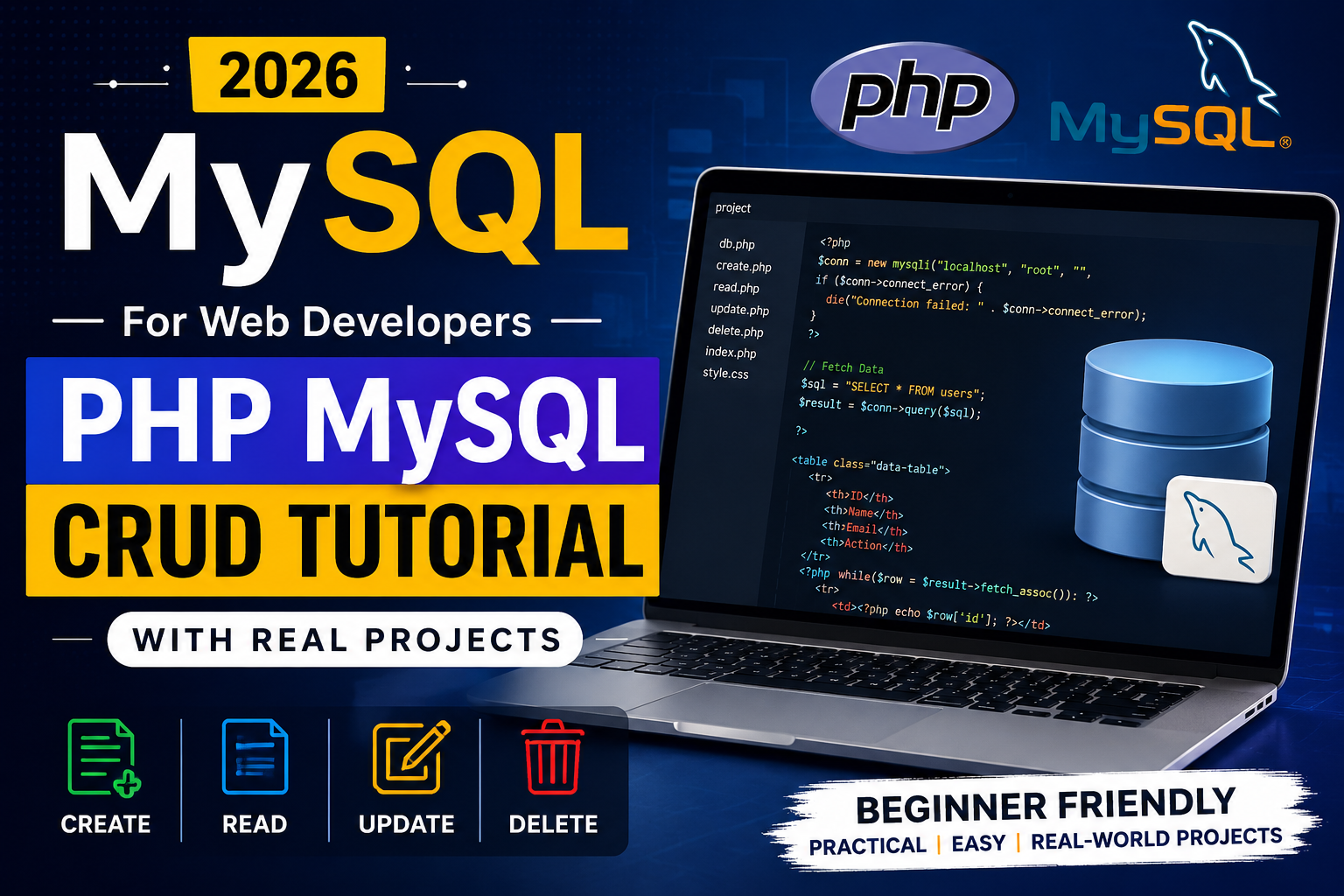
MySQL for Web Developers | PHP MySQL CRUD Tutorial with Real Projects 2026

Modern websites are powered by databases. From login systems and eCommerce websites to school portals and admin dashboards, databases handle everything behind the scenes. If you want to become a professional web developer in 2026, learning MySQL with PHP is one of the most valuable skills you can have. In this complete guide, you will learn how PHP and MySQL work together, what CRUD operations are, how developers build real-world projects using MySQL, and why companies still prefer PHP MySQL development for scalable websites. If you are planning to build dynamic websites or start backend development, this tutorial is the perfect starting point. If you want professional training in web development and database programming, visit Aptech Learning Lucknow for career-oriented programming courses. What is MySQL in Web Development? MySQL is one of the most popular relational database management systems used in web development. It stores website data such as user accounts, products, blog posts, orders, payments, and much more. Developers use MySQL because it is: Even in 2026, MySQL remains one of the most used databases for PHP-based websites and applications. Why PHP and MySQL Are Still Popular in 2026 Many beginners think newer technologies have replaced PHP, but the reality is different. PHP powers millions of websites worldwide, including CMS platforms, eCommerce stores, and business websites. PHP with MySQL is still preferred because: According to modern developer tutorials and backend guides, PHP MySQL remains a strong foundation for learning full-stack development. Understanding CRUD Operations in PHP MySQL CRUD stands for: Operation Meaning Create Insert new data Read Fetch and display data Update Modify existing records Delete Remove records Almost every modern application uses CRUD functionality. Whether it is a hospital management system, online shopping website, student portal, or CRM software, CRUD operations are the core foundation. PHP MySQL CRUD Tutorial for Beginners Step 1: Create a MySQL Database First, create a database using phpMyAdmin or MySQL command line. Example database: Now create a table: Step 2: Connect PHP with MySQL Create a database connection file. This connection allows PHP to communicate with your MySQL database. Step 3: Create Data (Insert Records) Step 4: Read Data from Database Step 5: Update Existing Records Step 6: Delete Records These are the core CRUD operations every web developer must know. Real Projects You Can Build Using PHP MySQL Learning theory alone is not enough. Real-world projects help you gain practical experience. Here are some beginner-to-advanced projects you can build: 1. Student Management System Store and manage student records with CRUD operations. 2. Employee Management Portal Add employee details, update salaries, and generate reports. 3. Online Shopping Website Create products, manage orders, and build customer dashboards. 4. Blog Management System Publish, edit, and delete blog posts dynamically. 5. Hospital Management Software Manage appointments, patients, doctors, and billing systems. 6. Library Management System Track books, issue dates, and student records. Building projects improves your practical coding skills and portfolio. Best Practices for PHP MySQL Development Professional developers follow secure coding practices while building CRUD applications. Important best practices include: Modern PHP tutorials strongly recommend using prepared statements and secure query handling for production websites. Common Mistakes Beginners Make Many beginners face issues while learning PHP MySQL development. Avoid these mistakes: Improving coding structure makes your projects more scalable and professional. Career Opportunities After Learning PHP MySQL Once you master PHP and MySQL, you can apply for roles such as: Thousands of companies still use PHP MySQL for website development and business applications in 2026. Why Learn PHP MySQL from a Professional Institute? Self-learning is useful, but guided learning helps you grow faster. Professional institutes provide: If you are serious about becoming a web developer, explore professional web development courses at Aptech Learning Lucknow. Future of MySQL and PHP in 2026 Despite new technologies entering the market, PHP and MySQL continue to dominate web development because of their simplicity, performance, and affordability. From startups to enterprise applications, PHP MySQL remains a reliable technology stack for building dynamic websites and scalable applications. Developers worldwide still use CRUD-based architectures for most business applications. Frequently Asked Questions Conclusion Learning MySQL with PHP is one of the smartest decisions for aspiring web developers in 2026. From CRUD applications to full-scale dynamic websites, PHP and MySQL provide everything needed to build powerful web applications. If you want to become job-ready, focus on building real projects, understanding CRUD operations, and learning secure coding practices. Consistent practice and professional guidance can help you become a successful backend or full-stack developer. To start your professional journey in web development, visit Aptech Learning Lucknow and explore industry-focused programming courses today.

Explore More
MySQL Course for Beginners to Advanced

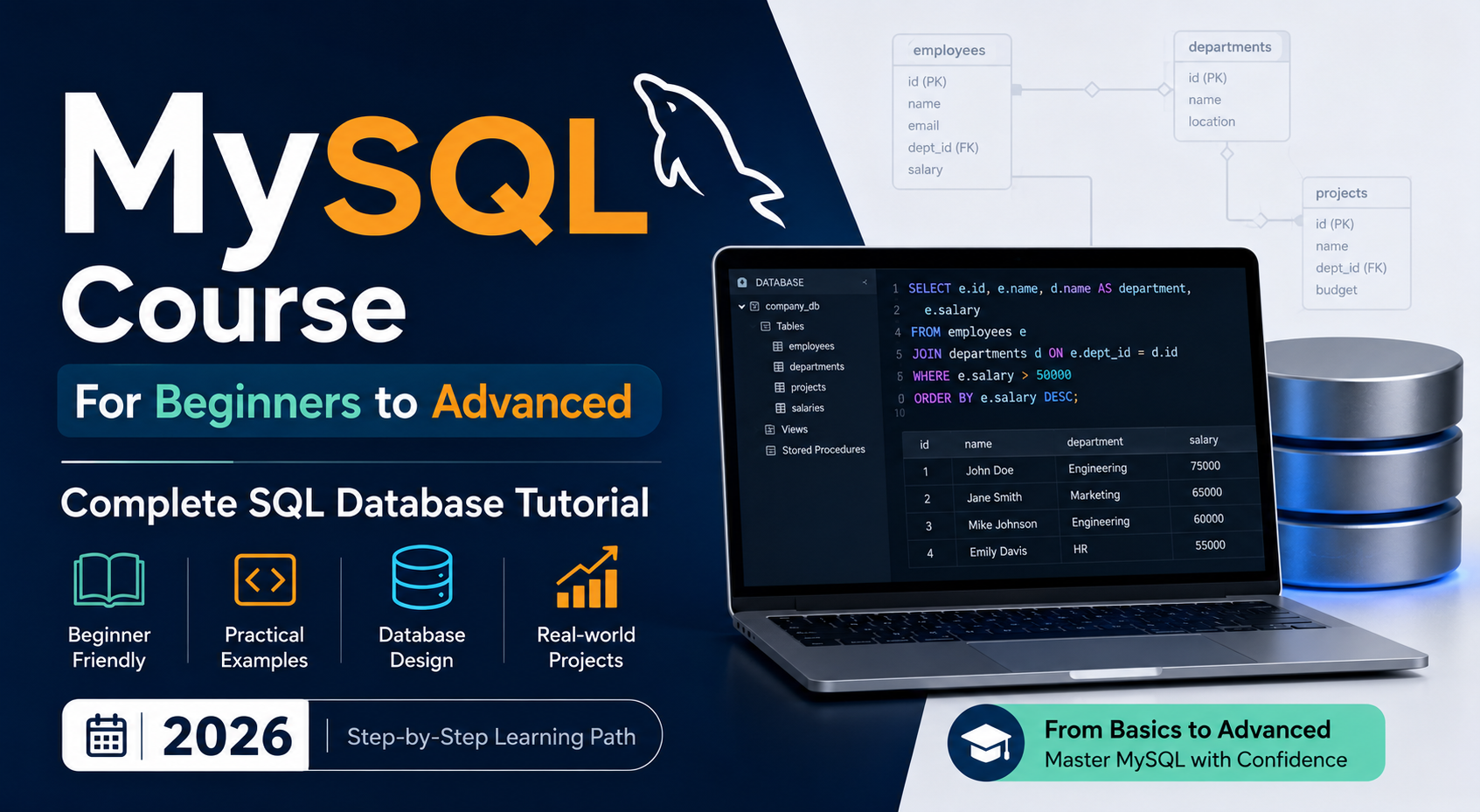
MySQL Course for Beginners to Advanced | Complete SQL Database Tutorial 2026

Learning MySQL in 2026 is one of the smartest moves you can make if you want a career in tech. Whether you want to become a backend developer, data analyst, database administrator, or simply understand how apps store and manage information, MySQL is the skill that gets you there. This guide walks you through everything you need to know — from what MySQL is to how to write advanced queries, design databases, and optimize performance. If you are in Lucknow and want structured classroom training with real instructors, Aptech Learning Lucknow offers a complete MySQL course that takes you from zero to job-ready. What Is MySQL and Why Does It Matter in 2026? MySQL is an open-source relational database management system used by some of the biggest technology companies in the world. Netflix, Uber, Airbnb, Shopify, and Facebook have all used MySQL at significant scale. It stores data in structured tables and uses SQL — Structured Query Language — as the tool to interact with that data. In 2026, MySQL remains the most popular open-source database globally. Every web application, e-commerce platform, banking system, and data analytics pipeline needs a database, and MySQL is almost always part of that infrastructure. Learning it means learning the foundational skill behind how the modern internet works. The best part is that MySQL is completely free to download and use. There is no financial barrier to getting started. Who Is This MySQL Course For? This course is genuinely for everyone. Complete beginners with no programming background can follow it. Web developers who need a proper database foundation will find exactly what they are missing here. Students preparing for campus placements get the SQL interview preparation they need. Data analysts who are tired of Excel’s limitations will discover what a real query language can do. If you have ever wondered how an app remembers your login, stores your order history, or shows you personalised content — MySQL is the answer, and this is where you learn how it works. Complete MySQL Course Curriculum — What You Will Learn SQL Basics and Getting Started You begin by installing MySQL Community Server and MySQL Workbench, both freely available from mysql.com. The first few lessons focus on understanding databases, tables, rows, and columns. You write your first SELECT query, create your first table, and immediately see results — which is the fastest way to stay motivated when learning something new. CRUD Operations — The Core of SQL CRUD stands for Create, Read, Update, and Delete. In MySQL, these map to four commands you will use in every real project: INSERT INTO for adding records, SELECT for reading data, UPDATE for modifying existing records, and DELETE for removing them. These four operations cover the majority of what applications do with databases every single day. Master them and you already have a practical skill. Filtering, Sorting, and Grouping A SELECT query alone gives you all records. Real work requires precise filtering. You learn WHERE to narrow down results, AND and OR to combine conditions, LIKE for pattern matching, IN and BETWEEN for range checks, ORDER BY for sorting, LIMIT to control how many rows come back, and GROUP BY combined with aggregate functions like COUNT, SUM, AVG, MIN, and MAX to summarize data into reports. Clause Purpose Example WHERE Filter rows WHERE city = ‘Lucknow’ ORDER BY Sort results ORDER BY age DESC GROUP BY Group for aggregation GROUP BY department HAVING Filter grouped results HAVING COUNT(*) > 5 LIMIT Control result size LIMIT 10 SQL Joins — The Most Important Topic Joins connect data from multiple tables using a common column. Real databases never store everything in one place — customers are in one table, orders in another, products in a third. Joins are what bring all of that together. You cover INNER JOIN (matching rows from both tables), LEFT JOIN (all rows from the left table plus any matches), RIGHT JOIN (the reverse), and SELF JOIN for comparing rows within the same table. Joins appear in almost every SQL interview, and spending extra time here always pays off. Subqueries and CTEs Subqueries let you write a SELECT inside another SELECT — useful for answering questions that require two steps of logic. CTEs (Common Table Expressions) using the WITH keyword break complex queries into readable, named blocks. Together, these tools let you write analytics queries that answer real business questions clearly and efficiently. Database Design and Normalization Good database design prevents redundancy and keeps data consistent as it grows. You learn how to build entity-relationship diagrams, define primary and foreign keys, and apply the normalization rules — 1NF, 2NF, and 3NF — that separate amateur databases from professional ones. A poorly designed database causes performance problems and data errors for years. Getting this right from the start matters. Stored Procedures and Functions A stored procedure is a block of SQL code saved on the server that your application can call by name. Instead of sending multiple queries, you execute one procedure that handles everything internally. You learn how to write procedures with IN and OUT parameters, create user-defined functions, use IF/ELSE logic, and implement WHILE loops — skills that make your MySQL knowledge look like actual programming. Transactions and ACID Properties When multiple database operations need to succeed or fail together — like a bank transfer where both debit and credit must complete — transactions provide that guarantee. You learn BEGIN, COMMIT, and ROLLBACK, and understand the four ACID properties (Atomicity, Consistency, Isolation, Durability) that define how reliable database systems behave. Indexing and Query Optimization This is where the course moves into advanced territory. An index is a data structure that lets MySQL find rows instantly instead of scanning millions of records. You learn B-Tree indexes, composite indexes, covering indexes, and FULLTEXT indexes. You use the EXPLAIN command to read MySQL’s query execution plan and identify exactly why a query is slow. This skill is what separates developers who write working SQL from those who write fast, production-ready

Explore More
Career Outcomes After MySQL Bootcamp 2026

Career Outcomes After MySQL Bootcamp 2026 | Jobs, Salary & Career Growth

Database management has become one of the most important skills in today’s technology-driven world. Every company — from startups to multinational corporations — relies on databases to store, organize, and manage information efficiently. This growing demand has made MySQL Bootcamps highly popular among students and working professionals. If you are planning to enroll in a MySQL Bootcamp in 2026, understanding the career outcomes can help you make a smart decision. A practical SQL and database training program can open doors to multiple job opportunities in IT, analytics, software development, and cloud computing. In this guide, we’ll explore the best career options, skills, salaries, and future growth opportunities after completing a MySQL Bootcamp. Why MySQL Skills Are in High Demand MySQL is one of the world’s most widely used relational database management systems. Companies use it for websites, applications, analytics systems, customer management platforms, and cloud-based services. Industries Using MySQL Industry Usage of MySQL IT & Software Application databases eCommerce Customer & order management Banking Transaction storage Healthcare Patient records Education Student management systems Digital Marketing Analytics reporting Because data is growing rapidly, companies need professionals who can manage databases efficiently. What You Learn in a MySQL Bootcamp A professional MySQL Bootcamp focuses on practical database skills instead of only theoretical concepts. Core Topics Covered Module Skills Included SQL Basics Queries, Tables, Databases Advanced SQL Joins, Views, Indexing Database Design Schema & Relationships Data Management CRUD Operations Performance Optimization Query Optimization Real Projects Industry Database Scenarios Backup & Security Data Protection Concepts This hands-on learning approach helps students become job-ready faster. Top Career Outcomes After MySQL Bootcamp One of the biggest advantages of learning MySQL is career flexibility. SQL skills are useful in multiple technology roles. Popular Job Roles in 2026 Job Role Main Responsibilities SQL Developer Write & manage database queries Database Administrator Maintain database performance Data Analyst Analyze and organize business data Backend Developer Work with databases in applications BI Analyst Generate business insights Data Support Executive Manage data systems Junior Database Engineer Database optimization tasks These roles are available in both startups and large enterprises. Salary Scope After SQL Training Salary depends on practical skills, certifications, projects, and location. However, SQL professionals continue to enjoy strong demand across industries. Estimated Career Growth Scope Experience Level Career Potential Fresher Entry-level database roles 1–2 Years SQL Developer & Analyst roles 3+ Years Senior DBA & Data Engineer roles Candidates with strong SQL + analytics knowledge often get better opportunities in the tech industry. Why Companies Prefer Candidates with Practical SQL Skills Recruiters today prefer candidates who can solve real database problems instead of only knowing theoretical definitions. Important Practical Skills Hands-on project training gives candidates a competitive advantage during interviews. Benefits of Joining a MySQL Bootcamp A structured MySQL training program helps students learn quickly with proper guidance. Benefit Advantage Short-Term Learning Faster skill development Beginner Friendly Easy for non-programmers Live Projects Real industry experience Certification Resume credibility Placement Support Interview preparation Flexible Learning Online & offline options Bootcamps are especially useful for students who want job-ready technical skills within a short duration. Future Scope of MySQL in 2026 and Beyond Even with the rise of modern cloud technologies, SQL databases remain essential for businesses worldwide. Future Demand Areas Technology Area MySQL Usage Web Development Backend databases Data Analytics Structured data analysis Cloud Applications Cloud-hosted databases SaaS Platforms Customer data management AI & Automation Data storage systems Professionals who combine SQL with Python, Power BI, or cloud skills can unlock even better career opportunities. How to Choose the Right MySQL Bootcamp Before joining any training program, compare these important factors: Checklist Importance Updated Curriculum Industry relevance Practical Projects Hands-on learning Experienced Trainers Better guidance Certification Career credibility Placement Assistance Job preparation Flexible Schedule Learning convenience Choosing the right institute can make a huge difference in your career growth. Frequently Asked Questions | Aptech Learning Mahanagar Conclusion Completing a MySQL Bootcamp in 2026 can be a valuable step toward building a successful tech career. SQL remains one of the most essential skills in software development, analytics, and database management. Whether you are a student, fresher, or working professional, learning MySQL can improve your technical expertise and increase your job opportunities. With practical projects, industry-focused training, and certification, a MySQL Bootcamp helps candidates become job-ready in a competitive market. As businesses continue relying on structured data systems, skilled SQL professionals will remain in demand for years to come.

Explore More
MySQL Interview Questions & Answers 2026

MySQL Interview Questions & Answers 2026 | SQL Practice for Freshers & Job Seekers

In 2026, companies are actively hiring professionals with database and SQL skills. From startups to large IT companies, MySQL remains one of the most widely used relational database management systems in the world. If you are preparing for technical interviews after 12th, graduation, BCA, B.Tech, or any IT course, learning MySQL can help you secure better job opportunities. Many recruiters ask SQL and MySQL interview questions during technical rounds because databases are an important part of software development, data analytics, web development, and backend engineering. In this guide, we will cover the most commonly asked MySQL interview questions and answers for freshers and job seekers. If you want professional MySQL training with practical projects, visit Aptech Learning Lucknow for career-focused IT courses. What is MySQL? MySQL is an open-source relational database management system used to store, manage, and retrieve data efficiently. It uses SQL (Structured Query Language) to interact with databases. Popular websites, applications, and software platforms use MySQL because it is fast, reliable, and easy to learn. 1. What is the difference between MySQL and SQL? SQL is a language used to manage databases, while MySQL is a database management system that uses SQL. Example: 2. What are the different types of SQL commands? SQL commands are mainly divided into: Examples: 3. What is a Primary Key? A Primary Key uniquely identifies each record in a table. It cannot contain NULL values or duplicate values. Example: 4. What is the difference between WHERE and HAVING? Example: 5. What is normalization in MySQL? Normalization is the process of organizing data to reduce redundancy and improve database efficiency. Common normal forms: 6. What is the difference between DELETE, DROP, and TRUNCATE? Command Purpose DELETE Removes selected rows TRUNCATE Removes all rows quickly DROP Deletes the complete table 7. What is a JOIN in MySQL? JOIN is used to combine records from multiple tables. Types of JOIN: Example: 8. What is the use of the GROUP BY clause? GROUP BY is used to arrange similar data into groups. Example: 9. What is indexing in MySQL? Indexes improve database query performance by allowing faster data retrieval. Example: 10. What is the difference between CHAR and VARCHAR? CHAR VARCHAR Fixed length Variable length Faster Saves storage space Important SQL Practice Questions for Freshers To crack interviews in 2026, students should practice real SQL queries regularly. Here are some common practice tasks: Practical SQL experience is often more valuable than theoretical knowledge during interviews. Career Opportunities After Learning MySQL MySQL skills can help you apply for roles such as: Companies in India and abroad continue to hire candidates with database management skills because data handling is essential in almost every industry. Why Learn MySQL in 2026? Here are some major reasons why MySQL is still in demand: Students who combine MySQL with Python, Data Analytics, or Web Development can build even stronger career opportunities. Learn MySQL with Practical Training If you are looking for professional MySQL and SQL training with live projects, interview preparation, and certification support, Aptech Learning Lucknow offers industry-oriented IT courses designed for students and job seekers. The right training program can help you improve practical skills, confidence, and placement opportunities. Frequently Asked Questions | Aptech Learning Mahangar Conclusion MySQL continues to be one of the most important skills for students and job seekers in 2026. Whether you want to become a software developer, data analyst, or backend engineer, SQL knowledge can significantly improve your career opportunities. By practicing interview questions, working on SQL queries, and learning database concepts properly, you can perform better in technical interviews and increase your chances of getting hired. Start learning today, build practical projects, and prepare yourself for the growing demand in database and analytics careers.

Explore More
Advanced MySQL Course 2026

Advanced MySQL Course 2026 | Window Functions, Query Optimization & Replication

Modern companies generate huge amounts of data every day. From eCommerce websites to banking systems and AI-powered applications, databases are the backbone of every digital platform. Because of this, professionals with advanced MySQL skills are now in high demand. If you already know basic SQL and want to become an industry-ready database expert, joining an Advanced MySQL Course in 2026 can be one of the smartest career decisions. At Aptech Learning Lucknow, students learn real-world MySQL concepts including Window Functions, Query Optimization, Replication, Indexing, Performance Tuning, and Database Administration through practical training and live projects. What You Will Learn in the Advanced MySQL Course This course is designed for students, freshers, software developers, backend engineers, and database administrators who want advanced-level database expertise. 1. Advanced SQL Queries You will learn how to write powerful SQL queries used in real-world applications. Topics Covered: These concepts help developers manage and retrieve large datasets efficiently. 2. Window Functions in MySQL Window Functions are among the most important features in modern SQL development. They allow developers to perform calculations across rows without grouping data permanently. You Will Learn: Why Window Functions Matter Companies use Window Functions for: Learning these functions can significantly improve your SQL expertise and interview performance. 3. Query Optimization & Performance Tuning Slow queries can affect website speed and application performance. This module teaches how to optimize SQL queries for faster execution. Key Concepts: Benefits of Learning Query Optimization These skills are highly valued in IT companies and startups. 4. MySQL Replication Replication is one of the most important topics for database administrators and backend developers. In This Module You Will Learn: Replication helps businesses ensure data security, fault tolerance, and better performance. 5. Real-Time Database Projects Practical learning is essential in database training. At Aptech Learning Lucknow, students work on live projects such as: These projects improve practical understanding and help students build strong portfolios. Why Advanced MySQL Skills Are in Demand in 2026 With the rapid growth of AI, Data Analytics, Web Development, and Cloud Computing, database professionals are becoming increasingly important. Industries Hiring MySQL Professionals Industry Role Examples IT Companies SQL Developer, DBA E-commerce Database Engineer Banking Data Analyst Healthcare Backend Developer Startups Full Stack Developer SaaS Companies Database Administrator Companies prefer candidates who can optimize database performance and manage large-scale systems efficiently. Who Should Join This Course? This course is ideal for: Even beginners with basic SQL knowledge can gradually move toward advanced concepts. Career Opportunities After Completing the Course After completing the Advanced MySQL Course, students can apply for roles such as: Average Salary in India (2026) Experience Level Average Salary Fresher ₹3 LPA – ₹5 LPA 2–4 Years ₹6 LPA – ₹10 LPA Senior Professional ₹12 LPA+ Why Choose Aptech Learning Lucknow? Key Advantages Students receive hands-on experience that prepares them for real company environments. Future Scope of MySQL in 2026 Despite the rise of modern databases, MySQL continues to dominate web applications, enterprise systems, and cloud platforms. Popular companies still rely heavily on MySQL because it is: Learning advanced MySQL concepts can open doors in software development, analytics, and cloud engineering. Frequently Asked Questions | Aptech Learning Mahanagar Conclusion The demand for skilled database professionals is increasing rapidly in 2026. Companies are looking for candidates who understand not just SQL basics but also advanced concepts like Window Functions, Query Optimization, and Replication. If you want to build a strong career in database management, backend development, or data analytics, enrolling in an Advanced MySQL Course is a smart investment for your future. Aptech Learning Lucknow provides practical training, live projects, and career-focused learning to help students become job-ready database professionals.

Explore More
Free MySQL Course 2026

Free MySQL Course 2026 | SQL Basics, CRUD Operations & Joins Explained Simply

Learning MySQL does not have to cost you anything. In 2026, some of the most in-demand tech skills — including SQL and database management — are completely accessible to anyone willing to put in the time. This free MySQL course guide covers everything a beginner needs to get started: what MySQL is, how SQL basics work, how to write CRUD operations, and how to use joins to connect data from multiple tables. If you are a student in Lucknow, a fresher preparing for job interviews, or simply someone who wants to understand how databases work, this guide is written specifically for you. And if you ever want to go deeper with instructor-led training and placement support, Aptech Learning Lucknow offers structured MySQL courses that take you well beyond the basics. Let us start from the very beginning. What Is MySQL and Why Is It Free? MySQL is an open-source relational database management system. Open-source means the core software is maintained and distributed freely. Anyone can download it, install it, and use it without paying a license fee. That is one of the main reasons MySQL became so popular — there is no financial barrier to entry. MySQL was originally developed in 1995 and later acquired by Oracle Corporation. Despite the acquisition, the community edition remains free and is what most learners, developers, and small businesses use day to day. The paid enterprise version exists for large organizations that need advanced support and features, but for learning purposes — and honestly, for most professional purposes too — the free version is more than enough. The software MySQL uses is called SQL, which stands for Structured Query Language. SQL is the language you write to communicate with the database. You type a query, MySQL reads it, executes it against the stored data, and returns a result. The relationship between SQL and MySQL is simple: SQL is the language, MySQL is the system that speaks it. In 2026, MySQL powers some of the largest platforms in the world. Facebook’s early infrastructure ran on it. YouTube, Twitter, Shopify, Airbnb, Uber — they all use MySQL or have used it at significant scale. When you learn MySQL, you are learning the same database technology that runs a meaningful portion of the internet. What Do You Need to Get Started for Free? The entire MySQL learning stack is free. Here is exactly what you need to download and install before writing your first query. MySQL Community Server is the actual database engine. It runs in the background on your computer and stores all your data. Download it from mysql.com under the community downloads section. It is available for Windows, macOS, and Linux. MySQL Workbench is the graphical interface that lets you interact with your database visually. Instead of typing commands into a black terminal window, Workbench gives you a clean editor where you write SQL, run queries, and see results in a table format. It is also free and available from the same download page. Sample databases are provided by MySQL itself — the Sakila database (modeled after a DVD rental store) and the World database (containing country, city, and language data) are both free to download and perfect for practice. You will use these throughout this guide. That is the complete setup. No subscriptions, no trial periods, no credit cards. Total cost: zero. Understanding SQL Basics — The Foundation of Everything Before you write a single line of SQL, it helps to understand what you are actually working with. A MySQL database is made up of tables. A table is exactly what it sounds like — rows and columns, similar to a spreadsheet. Each row represents one record. Each column represents one attribute of that record. Imagine a table called students. It might have columns for student ID, name, email, age, and enrollment date. Every student in the database gets one row, and each piece of information about them fills a column in that row. SQL gives you the tools to create those tables, fill them with data, retrieve specific records, update existing information, and delete records you no longer need. Almost everything you will ever do in MySQL comes down to those four actions — and there is a specific set of commands for each one. Here is how the most foundational SQL commands map to what they do: SQL Command Action Plain English Meaning SELECT Read data “Show me this data” INSERT INTO Create data “Add this new record” UPDATE Modify data “Change this existing record” DELETE Remove data “Remove this record” CREATE TABLE Build structure “Create a new table” DROP TABLE Remove structure “Delete an entire table” ALTER TABLE Modify structure “Add or change a column” These commands form the foundation. Everything else in MySQL — joins, subqueries, stored procedures, indexing — builds on top of your understanding of these basics. CRUD Operations Explained Simply CRUD is an acronym that stands for Create, Read, Update, Delete. These four operations cover every possible thing you can do with data in a database. Every application you have ever used — a banking app, an e-commerce site, a social media platform — performs CRUD operations constantly in the background. Here is each one explained with a real example using a simple students table. Creating a Table First Before you can do anything with data, you need a table to hold it. Here is how you create the students table: sql The AUTO_INCREMENT means MySQL automatically assigns a unique number to each new student. PRIMARY KEY means student_id uniquely identifies every row. NOT NULL means the name field cannot be left empty. UNIQUE on email means no two students can share the same email address. C — Create (INSERT INTO) Adding new records to a table uses the INSERT INTO command. sql You write the table name, list the columns you are filling, and then provide the actual values in the same order. R — Read (SELECT) Retrieving data is what you will write most

Explore More
About Image
Guaranteed & Certified

Students are joining

For our career programs like Full Stack Development, Data Science, Data Analyst, and Business Analyst, we guarantee to arrange job interviews for you with our 100+ hiring partners until you get placed

You will be trained by experienced faculty and top-notch mentors. Our senior mentors bring over 20+ years of real-world industry experience directly to your classroom

All our programs are conducted in 100% offline mode at our modern training center in Aliganj, Lucknow. We believe in face-to-face, hands-on learning for the best results

“Aptech Learning Center Mahanagar, founded by renowned educationists, provides high-quality IT education to empower Lucknow’s youth for competitive tech careers.”

Contact Info.

Aptech Learning Center, first floor, Above Radiance, 18 J Road, Near Midland Healthcare and Research center, Mahanagar Lucknow
+91 6386 119 566
digilearninglko@gmail.com

© 2025 Aptech Learning Center Mahanagar | All Rights Reserved | Designed and Developed By DigiGrow Solutions