
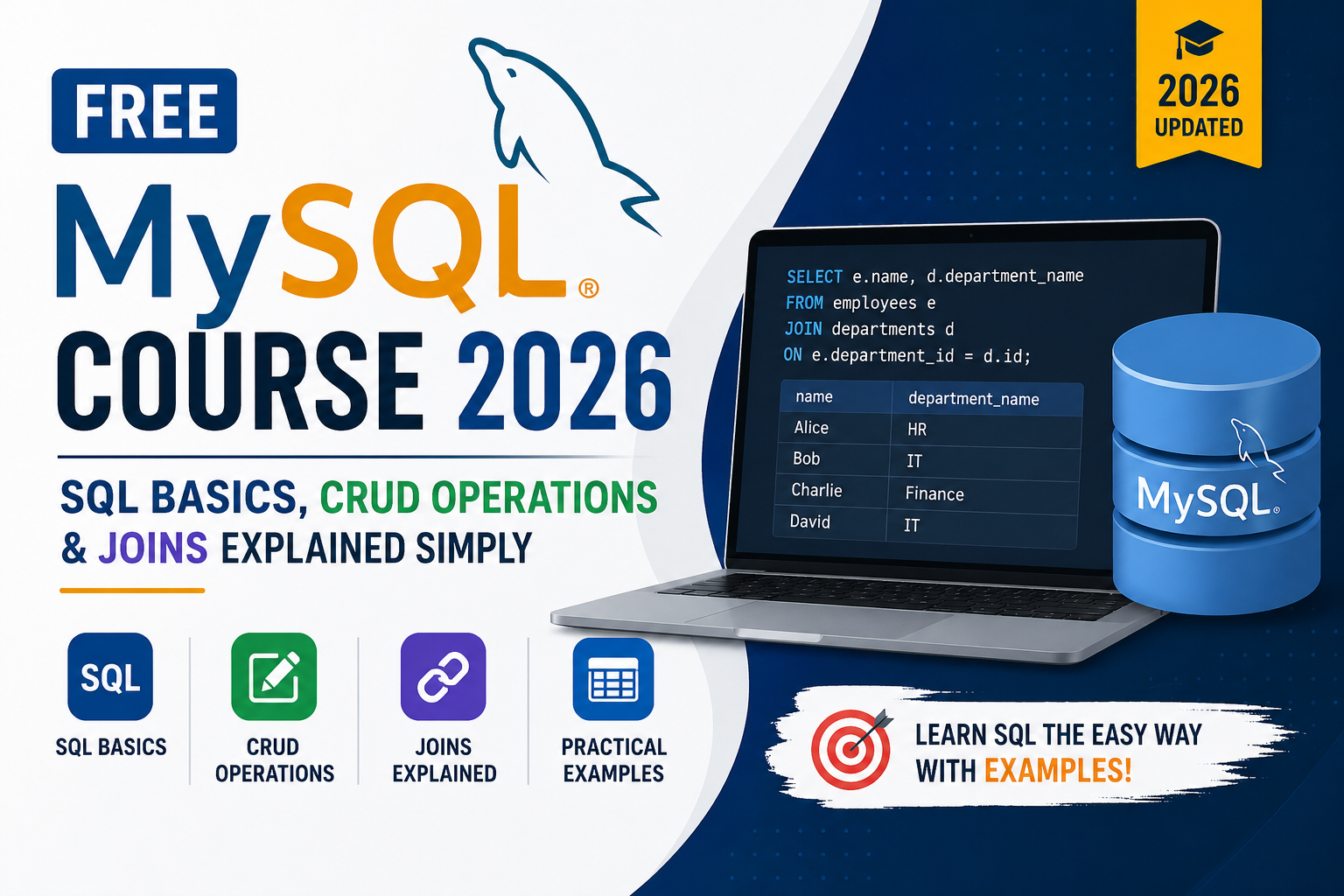
Free MySQL Course 2026 | SQL Basics, CRUD Operations & Joins Explained Simply
Learning MySQL does not have to cost you anything. In 2026, some of the most in-demand tech skills — including SQL and database management — are completely accessible to anyone willing to put in the time. This free MySQL course guide covers everything a beginner needs to get started: what MySQL is, how SQL basics work, how to write CRUD operations, and how to use joins to connect data from multiple tables.
If you are a student in Lucknow, a fresher preparing for job interviews, or simply someone who wants to understand how databases work, this guide is written specifically for you. And if you ever want to go deeper with instructor-led training and placement support, Aptech Learning Lucknow offers structured MySQL courses that take you well beyond the basics.
Let us start from the very beginning.

What Is MySQL and Why Is It Free?
MySQL is an open-source relational database management system. Open-source means the core software is maintained and distributed freely. Anyone can download it, install it, and use it without paying a license fee. That is one of the main reasons MySQL became so popular — there is no financial barrier to entry.
MySQL was originally developed in 1995 and later acquired by Oracle Corporation. Despite the acquisition, the community edition remains free and is what most learners, developers, and small businesses use day to day. The paid enterprise version exists for large organizations that need advanced support and features, but for learning purposes — and honestly, for most professional purposes too — the free version is more than enough.
The software MySQL uses is called SQL, which stands for Structured Query Language. SQL is the language you write to communicate with the database. You type a query, MySQL reads it, executes it against the stored data, and returns a result. The relationship between SQL and MySQL is simple: SQL is the language, MySQL is the system that speaks it.
In 2026, MySQL powers some of the largest platforms in the world. Facebook’s early infrastructure ran on it. YouTube, Twitter, Shopify, Airbnb, Uber — they all use MySQL or have used it at significant scale. When you learn MySQL, you are learning the same database technology that runs a meaningful portion of the internet.
What Do You Need to Get Started for Free?
The entire MySQL learning stack is free. Here is exactly what you need to download and install before writing your first query.
MySQL Community Server is the actual database engine. It runs in the background on your computer and stores all your data. Download it from mysql.com under the community downloads section. It is available for Windows, macOS, and Linux.
MySQL Workbench is the graphical interface that lets you interact with your database visually. Instead of typing commands into a black terminal window, Workbench gives you a clean editor where you write SQL, run queries, and see results in a table format. It is also free and available from the same download page.
Sample databases are provided by MySQL itself — the Sakila database (modeled after a DVD rental store) and the World database (containing country, city, and language data) are both free to download and perfect for practice. You will use these throughout this guide.
That is the complete setup. No subscriptions, no trial periods, no credit cards. Total cost: zero.
Understanding SQL Basics — The Foundation of Everything
Before you write a single line of SQL, it helps to understand what you are actually working with. A MySQL database is made up of tables. A table is exactly what it sounds like — rows and columns, similar to a spreadsheet. Each row represents one record. Each column represents one attribute of that record.
Imagine a table called students. It might have columns for student ID, name, email, age, and enrollment date. Every student in the database gets one row, and each piece of information about them fills a column in that row.
SQL gives you the tools to create those tables, fill them with data, retrieve specific records, update existing information, and delete records you no longer need. Almost everything you will ever do in MySQL comes down to those four actions — and there is a specific set of commands for each one.
Here is how the most foundational SQL commands map to what they do:
| SQL Command | Action | Plain English Meaning |
|---|---|---|
| SELECT | Read data | “Show me this data” |
| INSERT INTO | Create data | “Add this new record” |
| UPDATE | Modify data | “Change this existing record” |
| DELETE | Remove data | “Remove this record” |
| CREATE TABLE | Build structure | “Create a new table” |
| DROP TABLE | Remove structure | “Delete an entire table” |
| ALTER TABLE | Modify structure | “Add or change a column” |
These commands form the foundation. Everything else in MySQL — joins, subqueries, stored procedures, indexing — builds on top of your understanding of these basics.
CRUD Operations Explained Simply
CRUD is an acronym that stands for Create, Read, Update, Delete. These four operations cover every possible thing you can do with data in a database. Every application you have ever used — a banking app, an e-commerce site, a social media platform — performs CRUD operations constantly in the background.
Here is each one explained with a real example using a simple students table.
Creating a Table First
Before you can do anything with data, you need a table to hold it. Here is how you create the students table:
sql
CREATE TABLE students (
  student_id INT AUTO_INCREMENT PRIMARY KEY,
  name VARCHAR(100) NOT NULL,
  email VARCHAR(150) UNIQUE,
  age INT,
  city VARCHAR(100),
  enrollment_date DATE
);
The AUTO_INCREMENT means MySQL automatically assigns a unique number to each new student. PRIMARY KEY means student_id uniquely identifies every row. NOT NULL means the name field cannot be left empty. UNIQUE on email means no two students can share the same email address.
C — Create (INSERT INTO)
Adding new records to a table uses the INSERT INTO command.
sql
INSERT INTO students (name, email, age, city, enrollment_date)
VALUES ('Rahul Sharma', 'rahul@email.com', 21, 'Lucknow', '2026-01-15');

INSERT INTO students (name, email, age, city, enrollment_date)
VALUES ('Priya Verma', 'priya@email.com', 20, 'Kanpur', '2026-02-10');
You write the table name, list the columns you are filling, and then provide the actual values in the same order.
R — Read (SELECT)
Retrieving data is what you will write most often. The SELECT command lets you pull specific columns, filter by conditions, and sort results.
sql
-- Get all students
SELECT * FROM students;

-- Get only name and city columns
SELECT name, city FROM students;

-- Get students from Lucknow only
SELECT name, email, age FROM students WHERE city = 'Lucknow';

-- Get students younger than 22, sorted by name
SELECT name, age FROM students WHERE age < 22 ORDER BY name;
The asterisk (*) means “all columns.” The WHERE clause filters which rows come back. ORDER BY sorts the results.
U — Update (UPDATE)
Changing existing records uses the UPDATE command. Always use a WHERE clause with UPDATE — without it, you will accidentally change every single row in the table.
sql
-- Update one student's age
UPDATE students SET age = 22 WHERE student_id = 1;

-- Update city for a specific student
UPDATE students SET city = 'Lucknow' WHERE email = 'priya@email.com';
D — Delete (DELETE)
Removing records uses the DELETE command. Again, always specify a WHERE clause.
sql
-- Delete one specific student
DELETE FROM students WHERE student_id = 2;

-- Delete all students from a specific city
DELETE FROM students WHERE city = 'Kanpur';
These four operations — INSERT, SELECT, UPDATE, DELETE — are what 80 percent of real-world SQL work looks like. Master these and you have the foundation for everything that follows.
Filtering and Sorting Data — Going Beyond Simple SELECT
Once you can retrieve data, the next skill is narrowing it down. Real tables have thousands or millions of rows. You almost never want all of them at once. SQL gives you several tools to filter exactly the records you need.
| Clause / Operator | What It Does | Example |
|---|---|---|
| WHERE | Filter rows by condition | WHERE city = 'Lucknow' |
| AND | Both conditions must be true | WHERE age > 18 AND city = 'Lucknow' |
| OR | Either condition can be true | WHERE city = 'Lucknow' OR city = 'Kanpur' |
| NOT | Exclude a condition | WHERE NOT city = 'Delhi' |
| LIKE | Pattern matching | WHERE name LIKE 'R%' |
| IN | Match any value in a list | WHERE city IN ('Lucknow', 'Kanpur', 'Agra') |
| BETWEEN | Range of values | WHERE age BETWEEN 18 AND 25 |
| ORDER BY | Sort the results | ORDER BY name ASC |
| LIMIT | Restrict how many rows return | LIMIT 10 |
| DISTINCT | Remove duplicate values | SELECT DISTINCT city FROM students |
The LIKE operator deserves special mention because it comes up frequently. The percent sign (%) is a wildcard that matches any sequence of characters. So WHERE name LIKE 'R%' matches Rahul, Rohit, Ritika — any name starting with R. WHERE name LIKE '%sharma' matches anyone whose name ends with sharma.
Here is a practical example combining several of these:
sql
SELECT name, age, city
FROM students
WHERE age BETWEEN 18 AND 25
  AND city IN ('Lucknow', 'Kanpur')
  AND name LIKE 'R%'
ORDER BY age DESC
LIMIT 5;
This query finds students aged 18 to 25, from Lucknow or Kanpur, whose name starts with R, sorted from oldest to youngest, and returns only the top 5 results.
SQL Aggregate Functions — Summarizing Your Data
Aggregate functions perform a calculation on a group of rows and return a single result. They are essential for any kind of reporting or analysis. You use them constantly in real work — counting how many records exist, summing up sales totals, finding average scores, identifying the highest or lowest value.
| Function | What It Returns | Example Use |
|---|---|---|
| COUNT() | Total number of rows | How many students enrolled this year |
| SUM() | Total of all values | Total fees collected |
| AVG() | Average of all values | Average age of enrolled students |
| MIN() | Lowest value in the column | Youngest student’s age |
| MAX() | Highest value in the column | Most recent enrollment date |
These functions become especially powerful when you combine them with GROUP BY, which groups rows by a common value before applying the aggregate.
sql
-- How many students are in each city?
SELECT city, COUNT(*) AS total_students
FROM students
GROUP BY city;

-- Average age per city
SELECT city, AVG(age) AS average_age
FROM students
GROUP BY city;

-- Cities with more than 5 students
SELECT city, COUNT(*) AS total_students
FROM students
GROUP BY city
HAVING COUNT(*) > 5;
Notice HAVING at the end of that last query. WHERE filters individual rows before grouping. HAVING filters groups after GROUP BY has been applied. This is one of the most common points of confusion for beginners, so it is worth remembering clearly.
SQL Joins Explained Simply — Combining Data from Multiple Tables
Joins are where MySQL goes from being a simple filing system to a genuinely powerful analytical tool. In real applications, data is always spread across multiple tables. A customer is stored in the customers table. Their orders are in the orders table. The products in those orders are in the products table. Joins let you connect all of that together in a single query.
The core idea is simple: two tables share a common column, and you tell MySQL to match rows from both tables where those column values are the same.
Here is a clean example. Say you have two tables:
students table: student_id, name, city
courses table: course_id, student_id, course_name, marks
The student_id column appears in both tables. That connection is what makes a JOIN possible.
INNER JOIN
Returns only rows where there is a match in both tables. If a student has no course enrollment, they do not appear in the results.
sql
SELECT s.name, s.city, c.course_name, c.marks
FROM students s
INNER JOIN courses c ON s.student_id = c.student_id;
LEFT JOIN
Returns all rows from the left table (students), plus matching rows from the right table (courses). Students with no courses still appear — their course columns just show NULL.
sql
SELECT s.name, s.city, c.course_name
FROM students s
LEFT JOIN courses c ON s.student_id = c.student_id;
RIGHT JOIN
The reverse of LEFT JOIN. All rows from the right table appear, plus matches from the left.
sql
SELECT s.name, c.course_name, c.marks
FROM students s
RIGHT JOIN courses c ON s.student_id = c.student_id;
Here is a comparison to make the difference crystal clear:
| JOIN Type | What It Returns | Use When |
|---|---|---|
| INNER JOIN | Only rows with matches in BOTH tables | You only want complete, matched records |
| LEFT JOIN | All left rows + matched right rows | You want all left records, even without a match |
| RIGHT JOIN | All right rows + matched left rows | You want all right records, even without a match |
| CROSS JOIN | Every combination of both tables | You need all possible pairs (rare use case) |
| SELF JOIN | A table joined with itself | Comparing rows within the same table |
Joins are the single most important topic in any SQL interview. If you study nothing else, study joins until they become second nature.
A Practical Mini-Project — Student Enrollment Database
The best way to reinforce everything above is to build something small and real. Here is a simple student enrollment system you can build using only the concepts covered in this free MySQL course.
Create these three tables: students, courses, and enrollments.
The students table holds personal information. The courses table holds a list of available courses. The enrollments table is the link between them — it records which student is enrolled in which course, and stores their marks.
With these three tables connected, you can answer questions like:
- How many students are enrolled in each course?
- Which students have marks above 80?
- Which students from Lucknow are enrolled in the MySQL course?
- What is the average mark per course?
Every single one of these questions is answerable using the SELECT, JOIN, WHERE, GROUP BY, and aggregate functions covered above. That is the power of even basic MySQL — it lets you extract real answers from real data.
What to Learn After the Free Basics
Once you are comfortable with CRUD operations, filtering, aggregate functions, and joins, you are no longer a complete beginner. You have the foundation. The next layer includes:
Subqueries — writing a SELECT query inside another SELECT query to answer multi-step questions.
Stored Procedures — saving blocks of SQL on the server so your application can call them by name instead of sending raw queries.
Indexes — data structures that make queries dramatically faster on large tables.
Transactions — grouping multiple operations so they all succeed or all fail together, which is critical for financial and e-commerce applications.
Database Design and Normalization — learning how to structure your tables correctly from the start so your database stays clean, fast, and easy to maintain as it grows.
These topics go beyond what a free starter guide can cover in depth, but they are exactly what a structured classroom course addresses — with an instructor, practice exercises, feedback, and real projects.
Why Learn MySQL at Aptech Learning Lucknow?
Aptech Learning Lucknow is one of the most established IT training centers in the city. With decades of experience producing industry-ready professionals, Aptech offers MySQL training that goes well beyond what any free online resource can replicate.
In a classroom setting, you get live instruction — meaning you can ask questions, get your code reviewed, and have someone explain a concept three different ways until it clicks. Free tutorials cannot do that. You also get structured projects that mirror what employers actually ask you to do, and placement support that connects your newly acquired skills to real job opportunities.
The MySQL course at Aptech Lucknow covers the complete picture — from basics to advanced topics like stored procedures, indexing, query optimization, and database administration. If you are serious about using MySQL for a career and not just as a hobby, structured training is the most direct path to that goal.
Visit aptechlearninglko.com to see current batch timings, fees, and course details. You can also walk into the center directly for a free counseling session.
Frequently Asked Questions | Aptech Learning Mahanagar
Q1. Is there a completely free MySQL course available in 2026?
Yes. Several completely free resources exist for learning MySQL in 2026. MySQL’s own official documentation is thorough and free. W3Schools has a free MySQL tutorial that covers basics to intermediate topics. YouTube has full-length MySQL courses posted for free by educators around the world. Additionally, platforms like freeCodeCamp, Great Learning, and Khan Academy offer free SQL and MySQL content with no payment required. The free resources are more than enough to get you to an intermediate level. For advanced topics and career-focused training with placement support, a structured course like those offered at Aptech Learning Lucknow is worth considering.
Q2. What are CRUD operations in MySQL and why do beginners need to learn them first?
CRUD stands for Create, Read, Update, and Delete. These are the four fundamental operations you can perform on data in any database. In MySQL, Create is done with INSERT INTO, Read with SELECT, Update with UPDATE, and Delete with DELETE. Beginners need to learn these first because every other MySQL concept — joins, stored procedures, transactions, triggers — ultimately serves to make these four operations more powerful, more flexible, or more controlled. Without a solid understanding of CRUD, advanced topics do not make sense in context.
Q3. How long does it take to learn SQL basics for free?
If you dedicate one to two hours per day, most beginners can understand and write basic SQL queries within two to three weeks. This includes SELECT with filtering and sorting, all four CRUD operations, aggregate functions, and simple single-table queries. Getting comfortable with joins typically adds another week or two on top of that. The key is daily practice on an actual database — not just reading theory. Install MySQL, load a sample database, and write queries every single day.
Q4. What is the difference between INNER JOIN and LEFT JOIN in MySQL?
An INNER JOIN returns only the rows where both tables have a matching value in the join column. If a row in the left table has no matching row in the right table, it does not appear in the results at all. A LEFT JOIN returns every row from the left table regardless of whether there is a match in the right table. For rows with no match, the right table’s columns show NULL. The practical difference: use INNER JOIN when you only want complete matched records, and LEFT JOIN when you need all records from the primary table, including those without a corresponding entry in the second table.
Q5. Can I get a job just by learning free MySQL basics?
Free basics alone are usually not enough to land a job, but they are an important starting point. Most job roles that list MySQL as a requirement expect candidates to know joins, subqueries, basic database design, and at least an understanding of stored procedures and indexing. The free basics course gives you the foundation — SELECT, CRUD, filtering, and joins — but to be job-ready, you need to build on that with projects, advanced topics, and ideally some formal training or certification. Aptech Learning Lucknow’s MySQL course is specifically designed to bridge that gap between free self-study and employment.
Q6. What tools do I need to start a free MySQL course?
You need two things, and both are free. First, MySQL Community Server — the database engine itself. Second, MySQL Workbench — the graphical interface for writing and running queries. Both are available at mysql.com under the downloads section. For learning purposes, you do not need a hosted server, a cloud account, or any paid software. Your personal laptop or desktop running Windows, macOS, or Linux is more than sufficient to run MySQL locally and practice all the concepts covered in a beginner course.
Final Thoughts
MySQL is free to learn, free to install, and one of the highest-value skills you can add in 2026 regardless of which direction you want your career to go. The fundamentals — understanding tables, writing CRUD operations, filtering data, using aggregate functions, and connecting tables with joins — are genuinely learnable by anyone. You do not need a computer science degree. You do not need prior programming experience. You need curiosity, consistency, and a willingness to actually write queries instead of just reading about them.
Start with the free tools. Practice on real databases. Build something small. Then, when you are ready to go further, seek out structured training that takes you to the professional level.
If you are in or around Lucknow and want that structured path, Aptech Learning Lucknow is where that journey can happen properly — with real instructors, real projects, and a real focus on making you hireable.
Visit aptechlearninglko.com to learn more and enroll.